Python Pandas: reset_index, set_index, and MultiIndex
python pandas index reset set index and multiindex: Learn how to move columns into the index with set_index(), return the index to columns with reset_index(), and work...
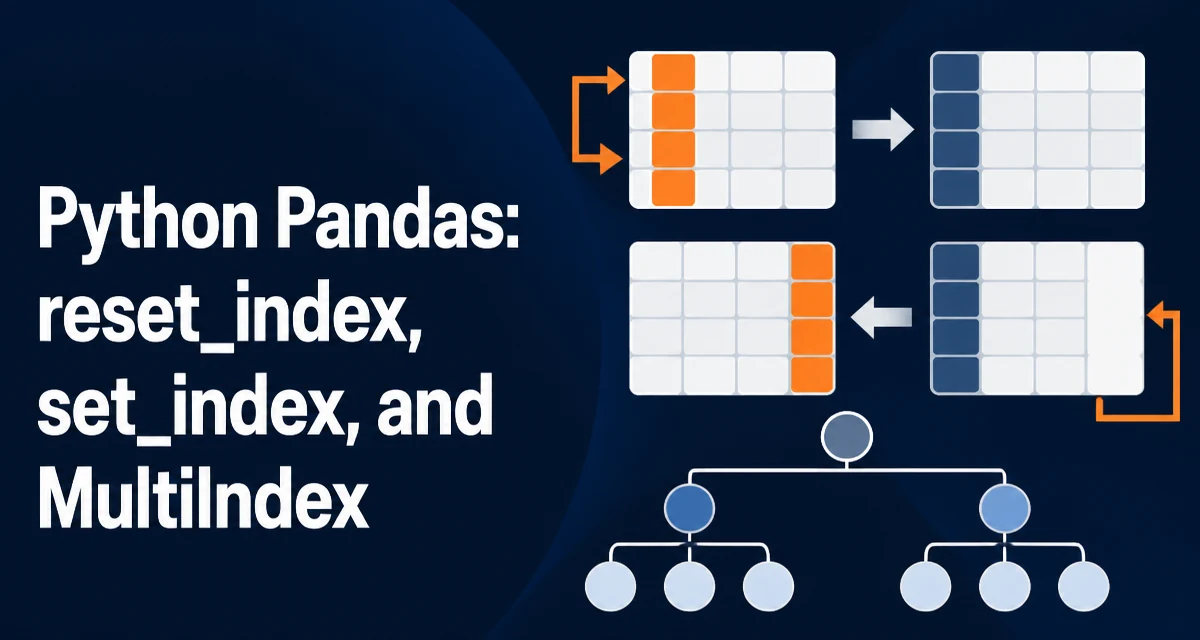
python pandas index reset set index and multiindex requires a clear understanding of the core syntax, runtime behavior, and practical implementation patterns demonstrated in the examples below.
Every pandas DataFrame carries an index, and that index silently controls how rows are identified, aligned, and merged. Most DataFrames start with a RangeIndex of sequential integers, but real data often needs a meaningful key such as a timestamp, an ID, or a composite of several columns. The set_index() method moves columns into the index, reset_index() moves the index back into the columns, and together they are the primary tools for reshaping how a DataFrame is keyed. When you combine them with a MultiIndex, you can represent hierarchical row labels and slice data by level. This article covers the python pandas index reset set index and multiindex workflow: the syntax, the parameters that change behavior, and the edge cases that commonly break scripts.
What the index actually controls
Before changing an index, it helps to know what the index is used for. The index is the row label set that pandas uses for:
- alignment during arithmetic and
merge() - lookup with
.loc[] groupby()operations on index levels- joining DataFrames on their indexes
- time series resampling when the index is a
DatetimeIndex
A default RangeIndex is just a row counter. It has no relationship to the data, so operations that depend on row identity, such as merging on a customer ID or slicing a date range, require a meaningful index. set_index() and reset_index() are how you move data between the column axis and the row label axis.
Moving a column into the index with set_index()
import pandas as pd

df = pd.DataFrame({
    "order_id": [1001, 1002, 1003],
    "customer": ["Ada", "Grace", "Alan"],
    "amount": [250.0, 180.0, 310.0],
})

keyed = df.set_index("order_id")
print(keyed)
          customer  amount
order_id
1001           Ada   250.0
1002         Grace   180.0
1003          Alan   310.0
set_index() returns a new DataFrame with the chosen column removed from the columns and promoted to the row index. The original DataFrame is unchanged unless you pass inplace=True, which is deprecated in recent pandas versions and should be avoided in new code; assign the result instead.
To keep the column in the DataFrame while also using it as the index, pass drop=False.
keyed = df.set_index("order_id", drop=False)
set_index() accepts a single column name, a list of names, or a pandas Index object. Passing a list creates a MultiIndex, covered below.
Moving the index back to columns with reset_index()
restored = keyed.reset_index()
print(restored)
   order_id customer  amount
0      1001     Ada   250.0
1      1002   Grace   180.0
2      1003    Alan   310.0
reset_index() takes the current index and writes it back as a column, then replaces the index with a fresh RangeIndex. The column name comes from the index name; if the index has no name, the new column is named index.
To discard the index instead of keeping it as a column, pass drop=True.
no_index = keyed.reset_index(drop=True)
This is useful when the index was only a temporary label and carries no data you need to preserve.
Building and using a MultiIndex
A MultiIndex has more than one level, so each row is identified by a tuple of labels rather than a single value. The most common way to create one is to pass a list of columns to set_index().
sales = pd.DataFrame({
    "region": ["East", "East", "West", "West"],
    "month": ["Jan", "Feb", "Jan", "Feb"],
    "revenue": [1200, 1350, 980, 1100],
})

hier = sales.set_index(["region", "month"])
print(hier)
              revenue
region month
East   Jan       1200
       Feb       1350
West   Jan        980
       Feb       1100
The levels are ordered by the list passed to set_index(). The first level is the outermost, and the second is nested inside it. This ordering matters for .loc[] slicing and for reset_index().
To select rows from a MultiIndex, pass a tuple to .loc[].
print(hier.loc[("East", "Feb")])
revenue    1350
Name: (East, Feb), dtype: int64
You can also slice a single level with partial indexing, but the levels must be in the order you specify.
print(hier.loc["West"])
        revenue
month
Jan        980
Feb       1100
reset_index() on a MultiIndex returns all levels to columns by default and names them from the level names.
flat = hier.reset_index()
print(flat)
  region month  revenue
0   East   Jan     1200
1   East   Feb     1350
2   West   Jan      980
3   West   Feb     1100
To reset only some levels, pass the level parameter with a level name or position.
partial = hier.reset_index(level="month")
print(partial)
        month  revenue
region
East      Jan     1200
East      Feb     1350
West      Jan      980
West      Feb     1100
This keeps region as the index and moves month back to a column. The result is still a MultiIndex if more than one level remains, or a single-level index if only one remains.
Parameters that change behavior
| Parameter | Applies to | Effect |
|---|---|---|
drop | both | True discards the index when resetting; False keeps the column when setting |
inplace | both | Mutates the DataFrame; deprecated in recent pandas |
level | reset_index | Resets only the named levels |
col_level | reset_index | Places the index column into a specific column MultiIndex level |
col_fill | reset_index | Name used for the new column when col_level is given |
append | set_index | Adds the new level without removing the existing index |
verify_integrity | set_index | Raises if the new index contains duplicates |
append=True is useful when you want to keep the current index and add a level on top of it.
hier2 = df.set_index("customer", append=True)
verify_integrity=True raises a ValueError if the resulting index has duplicate labels. This is a cheap safety check when duplicate keys would break later lookups.
Performance and memory implications
Index operations are not free. set_index() and reset_index() both produce a new DataFrame and, depending on the data, may require reindexing internal structures. For a few thousand rows this is negligible; for millions of rows it can take noticeable time and memory.
The bigger cost is usually what happens after the index changes. A sorted index enables faster .loc[] slicing and joins, while an unsorted MultiIndex can raise an error or produce incorrect results when you slice a partial level. If you frequently slice by the first level of a MultiIndex, keep the data sorted by that level or call sort_index() once after building it.
Memory is also affected by index dtype. A MultiIndex of string labels consumes more memory than a RangeIndex, but it replaces the equivalent columns that would otherwise be stored twice. There is no universal rule; measure with df.memory_usage(deep=True) when the dataset is large.
One practical point: reset_index() followed by set_index() on the same columns is wasteful. If you only need to reorder levels, use swaplevel() or reorder_levels() instead of round-tripping through columns.
Common mistakes and edge cases
Forgetting that the index has a name. When you reset_index() an unnamed index, the new column is called index. This is easy to miss in code that later references columns by name. Name the index explicitly with df.index.name = "id" or use rename_axis().
Duplicate index labels. set_index() does not check for duplicates by default. If the new index has repeated labels, .loc[] returns multiple rows and merges can produce unexpected row multiplication. Use verify_integrity=True when duplicates are invalid for your use case.
Mixing up level positions. reset_index(level=0) resets the outermost level. Level positions are zero-based from the outside. If the MultiIndex is ["region", "month"], level 0 is region and level 1 is month.
Column name collisions. When reset_index() writes the index back as a column, it raises a ValueError if a column with the same name already exists. Rename the index or the conflicting column first.
inplace still works but is deprecated. In recent pandas versions, inplace=True is deprecated for set_index() and reset_index(). New code should assign the return value. This also avoids the common bug where a call with inplace=True returns None and the assignment overwrites the DataFrame with None.