Read CSV, Excel, JSON, and SQL with Python Pandas
python pandas read csv excel json and sql: Learn how to load data into pandas DataFrames from CSV, Excel, JSON, and SQL databases with practical examples and parameter...
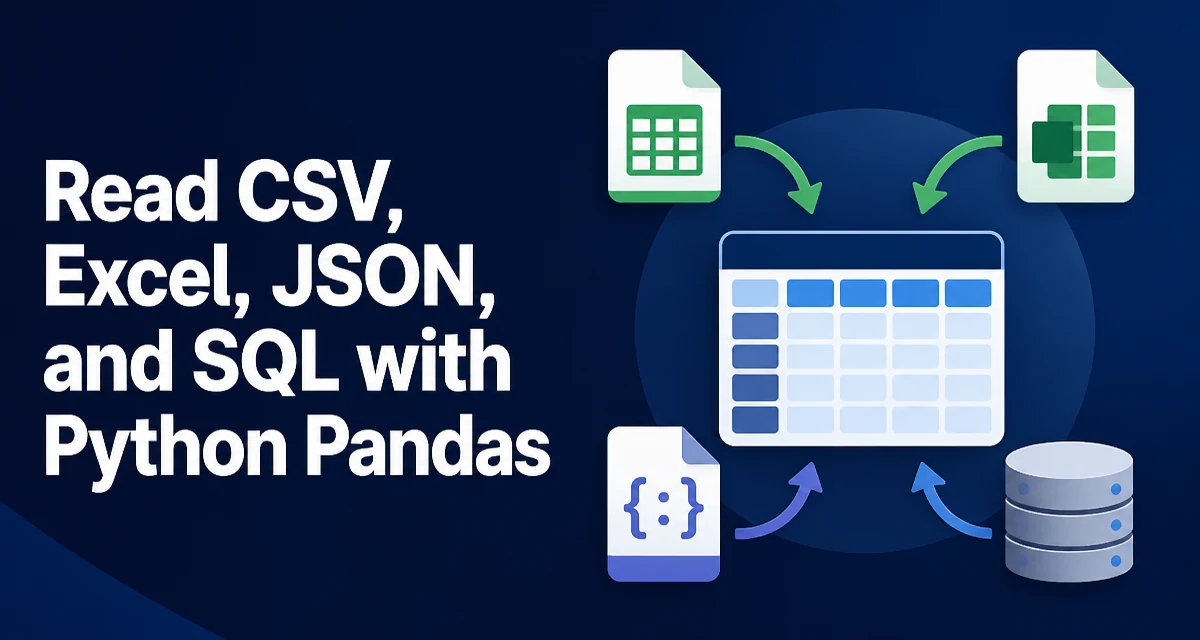
python pandas read csv excel json and sql requires a clear understanding of the core syntax, runtime behavior, and practical implementation patterns demonstrated in the examples below.
When working with pandas, loading data from different sources is a common first step. This article covers the four primary read functions: read_csv, read_excel, read_json, and read_sql, and explains the parameters that matter most for each. Whether you're building an ETL pipeline or analyzing a one-off dataset, understanding these functions will help you bring data into a DataFrame efficiently and correctly.
Reading CSV Files with pandas.read_csv
The most common data format is CSV. pandas.read_csv is highly configurable, and the default behavior works for many simple files:
import pandas as pd

df = pd.read_csv('data.csv')
In practice, you often need to adjust how the file is parsed. The sep parameter controls the delimiter; use sep='\t' for tab-separated files. header specifies which row contains column names, and names lets you supply your own when the file has no header. For example:
df = pd.read_csv('data.csv', sep=';', header=0, names=['id', 'name', 'value'])
Two parameters have a large impact on memory usage and correctness: dtype and parse_dates. By default, pandas infers types, which can be slow and sometimes wrong. Specifying dtype for columns with known types avoids inference overhead and prevents unexpected object columns. parse_dates converts date columns to datetime objects during parsing, which is often more reliable than converting afterward.
df = pd.read_csv('data.csv', dtype={'id': 'int32'}, parse_dates=['created_at'])
For large files, you can read only a subset of columns with usecols, or read in chunks with chunksize to process data incrementally. Both options reduce memory pressure and are covered in more detail later.
Reading Excel Files with pandas.read_excel
Excel files are binary and require an engine to parse. pandas.read_excel uses openpyxl for .xlsx files and xlrd for legacy .xls files. The sheet_name parameter selects which sheet to read; it accepts a sheet name, a zero-based index, or a list of sheets to return a dictionary of DataFrames.
df = pd.read_excel('data.xlsx', sheet_name='Sheet1', engine='openpyxl')
Excel cells have native types, so pandas often preserves integers, floats, and booleans without extra conversion. However, date cells can be tricky. Use parse_dates to explicitly convert columns that contain dates, especially if they are stored as text or as Excel serial numbers.
Similar to CSV, you can restrict the loaded data with usecols, skiprows, and nrows. The dtype parameter works here as well, which is useful when a column contains mixed types and pandas would otherwise fall back to object.
One common issue is that Excel files often contain merged cells or extra header rows. Use header to specify the row that contains column names, and skiprows to skip leading metadata rows. For example:
df = pd.read_excel('report.xlsx', sheet_name=0, header=2, usecols='A:F')
Reading JSON with pandas.read_json
JSON data can be structured in several ways, and pandas.read_json needs to know the layout. The orient parameter tells pandas how to interpret the JSON. The most common orientations are 'records' for a list of objects, 'index' for a dictionary of columns keyed by index, and 'split' for a dict with columns and data keys.
# List of records
df = pd.read_json('data.json', orient='records')

# Dictionary of arrays
df = pd.read_json('data.json', orient='index')
If you have newline-delimited JSON (each line is a JSON object), set lines=True. This is common in log files and streaming data:
df = pd.read_json('logs.jsonl', lines=True)
Nested JSON structures are not handled directly by read_json. For deeply nested data, you may need to use json_normalize or flatten the structure manually. read_json works best when the JSON is already tabular or can be converted with minimal reshaping.
Reading SQL with pandas.read_sql
pandas.read_sql is the entry point for loading data from a SQL database. It requires a connection object, which can be a SQLAlchemy engine or a DBAPI connection (e.g., from sqlite3). The function accepts either a SQL query string or a table name.
from sqlalchemy import create_engine

engine = create_engine('postgresql://user:pass@localhost/db')
df = pd.read_sql('SELECT * FROM orders', engine)
For a simple table read, you can pass the table name directly:
df = pd.read_sql('orders', engine)
When the query contains user input, use the params parameter to pass values safely instead of string formatting. This prevents SQL injection and is more reliable:
df = pd.read_sql('SELECT * FROM orders WHERE customer_id = %s', engine, params=(customer_id,))
Note that the placeholder style depends on the database driver; SQLAlchemy uses :name or %s depending on the dialect. read_sql also supports parse_dates and chunksize, which are useful for large result sets.
Handling Data Types and Missing Values Across Formats
Each data source has its own type system and missing-value representation. CSV files are plain text, so every value starts as a string; pandas infers types but you can override with dtype. Excel cells carry native types, but dates and mixed-type columns can cause issues. JSON has native types, but null values become NaN in pandas. SQL databases have explicit types, which pandas maps to NumPy types when possible.
Missing values also differ: CSV uses empty strings or sentinel values like NA, Excel uses empty cells, JSON uses null, and SQL uses NULL. By default, pandas converts these to NaN. For CSV, you can control the set of strings treated as missing using na_values. For example, to treat 'N/A' and 'NULL' as missing:
df = pd.read_csv('data.csv', na_values=['N/A', 'NULL'])
Date parsing is a common pain point. CSV and JSON often store dates as strings; Excel stores them as serial numbers or datetime objects; SQL returns datetime objects. Using parse_dates consistently across formats ensures your DataFrame has uniform datetime columns.\n## Performance and Memory Considerations
Loading large datasets can exhaust memory or slow down the process. The most effective techniques are:
- Specify
dtype: Avoid type inference, which requires reading the entire file and can be memory-intensive. - Use
usecols: Load only the columns you need. - Use
chunksize: Process data in chunks instead of loading everything at once. Bothread_csvandread_sqlsupportchunksize.
chunk_iter = pd.read_csv('large.csv', chunksize=10000)
for chunk in chunk_iter:
    process(chunk)
For SQL, you can also push down filtering and aggregation to the database to reduce the amount of data transferred. For example, instead of loading all rows and filtering in pandas, write a query that returns only the rows you need.
Choosing the Right Read Function for Your Data
The decision of which function to use is usually determined by the file format, but there are nuances. Use read_csv for delimited text files, including .tsv. Use read_excel for Excel workbooks, especially when you need multiple sheets. Use read_json for JSON data that is already tabular or can be flattened easily. Use read_sql when data lives in a relational database and you want to leverage SQL for filtering and joins.
| Format | Function | Key Parameters | Best For |
|---|---|---|---|
| CSV | read_csv | sep, dtype, parse_dates, chunksize | Delimited text, large files |
| Excel | read_excel | sheet_name, engine, usecols | Multi-sheet workbooks, native types |
| JSON | read_json | orient, lines | Tabular JSON, JSONL logs |
| SQL | read_sql | query, params, chunksize | Database tables and queries |
When your data is nested or has a non-tabular structure, you may need to preprocess it before calling these functions. For instance, deeply nested JSON might require json_normalize, and SQL queries may need to be written to produce a flat result set. The read functions are most effective when the input is already tabular or can be made tabular with minimal transformation.
For very large datasets that do not fit into memory, consider using chunksize to process data in batches, or use a library like Dask that builds on pandas but handles out-of-core operations. The pandas read functions are designed for in-memory DataFrames, so they are not a substitute for a distributed processing framework when your data exceeds available RAM.
Finally, remember that the engine parameter in read_excel and the connection handling in read_sql introduce external dependencies. Ensure the required libraries (openpyxl, xlrd, SQLAlchemy, and a database driver) are installed in your environment. Version compatibility matters; for example, xlrd 2.0 and later only support .xls files, not .xlsx. Checking your pandas version and the installed engines can save you from unexpected errors.