python pandas vs polars: Which Dataframe Library to Choose
python pandas vs polars: Compare pandas and Polars for Python data manipulation: API differences, execution models, memory behavior, and practical guidance on choosing...
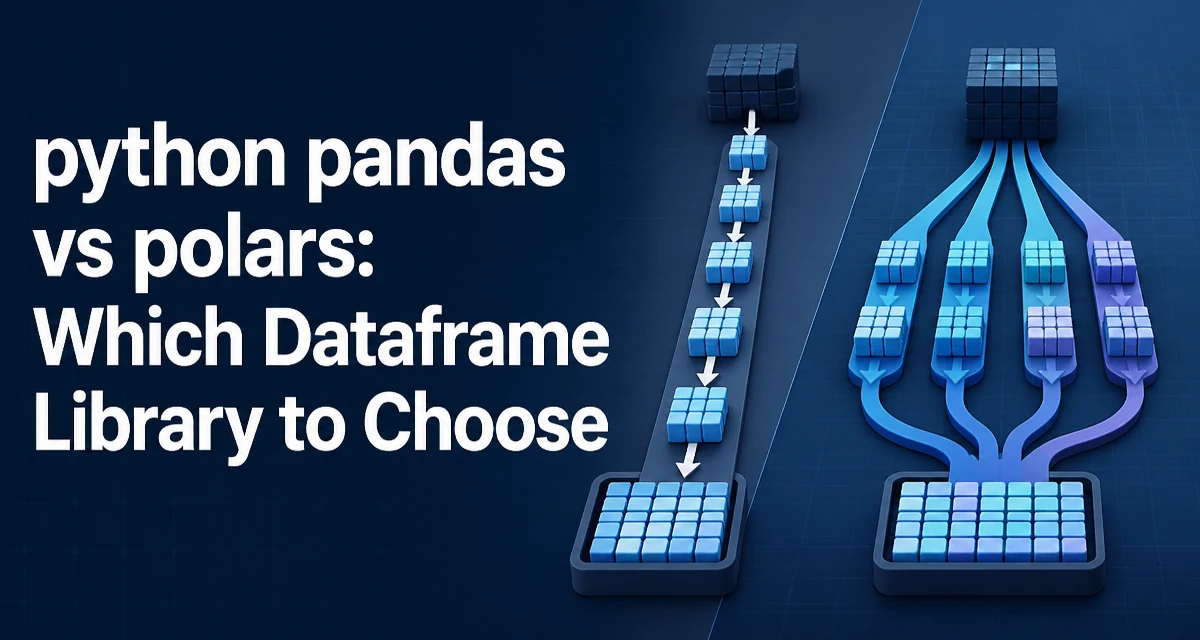
When deciding between python pandas vs polars for data manipulation, the choice affects not only syntax but also memory behavior and execution strategy. Both libraries expose a DataFrame API, but they differ fundamentally in how they process data. Understanding those differences helps you pick the right tool for a given workload without relying on guesswork or generic advice.
Core API Differences: DataFrame Construction and Basic Operations
The most visible difference is the API surface. pandas has been around since 2008 and its API is familiar to most Python developers. Polars, released in 2020, intentionally breaks with some pandas conventions to provide a more consistent and explicit interface.
Constructing a DataFrame from a dictionary looks similar in both:
import pandas as pd
import polars as pl

pandas_df = pd.DataFrame({"a": [1, 2, 3], "b": ["x", "y", "z"]})
polars_df = pl.DataFrame({"a": [1, 2, 3], "b": ["x", "y", "z"]})
Selection operations diverge. In pandas, you use [] with column names or loc/iloc for label- and position-based access. Polars uses a more explicit select method and the pl.col expression for column references:
# pandas
pandas_df["a"]
pandas_df.loc[0, "a"]

# polars
polars_df.select("a")
polars_df.select(pl.col("a").first())
Polars expressions are composable. Instead of chaining methods that operate on the whole DataFrame, you build expressions that are evaluated internally. This design supports both eager and lazy execution, which we will examine next.
Execution Model: Eager vs Lazy Evaluation
pandas executes operations eagerly by default. Each method call runs immediately and returns a new DataFrame or Series. This makes debugging straightforward: you can inspect intermediate results at every step.
Polars offers both eager and lazy APIs. The lazy API is where its performance advantages come from. You build a query plan by chaining operations on a LazyFrame, then call .collect() to execute it. The query optimizer can reorder operations, push down predicates, and avoid materializing intermediate results.
# Eager polars
result = polars_df.filter(pl.col("a") > 1).select(["a"])

# Lazy polars
lazy_result = polars_df.lazy().filter(pl.col("a") > 1).select(["a"]).collect()
Lazy evaluation is not always faster. For small datasets, the overhead of building a query plan can outweigh the benefits. But for large datasets with multiple transformations, the optimizer can reduce the amount of work performed, especially when reading from files where predicates can be pushed down to the file reader.
Memory Usage and Copy Behavior
Memory behavior is a major differentiator. pandas often copies data when you filter, select, or apply functions, depending on the operation and the underlying NumPy array. This can lead to high memory consumption when working with large DataFrames, especially if you chain many operations.
Polars is designed to minimize copies. It uses Apache Arrow as its memory format, which is columnar and cache-friendly. Operations like filter and select return views or shallow copies where possible, and the lazy optimizer can fuse operations to avoid materializing intermediate columns.
Consider filtering a DataFrame with a large number of rows. In pandas, the filtered result typically allocates new memory for the selected rows. In Polars, the result may share the underlying columnar buffers with the original, reducing peak memory usage. However, the exact behavior depends on the operation and the data types involved. For example, a select that reorders columns may require a copy in both libraries.
Understanding copy behavior matters because it affects both memory footprint and the risk of unintended side effects. In pandas, modifying a slice may or may not affect the original, depending on whether the slice is a view or a copy. Polars avoids this ambiguity by making most operations return new DataFrames that share immutable buffers; mutations are explicit and rare.
Performance Characteristics Without Benchmarks
Performance claims about pandas vs polars often cite specific benchmark numbers, but those numbers depend heavily on hardware, dataset shape, and the operations involved. Instead of relying on benchmarks, it is more useful to understand the mechanisms that drive performance differences.
Polars is written in Rust and uses a multi-threaded execution engine. Many operations, such as group_by, join, and sort, can use multiple CPU cores automatically. pandas, built on NumPy, is single-threaded for most operations. Some pandas operations release the GIL, but the library does not automatically parallelize across cores.
Polars also uses a vectorized execution model with a focus on cache locality. The columnar Arrow format reduces memory bandwidth usage compared to pandas' row-based (or mixed) layout for many workloads. This can make Polars faster for large aggregations and joins, but the difference is not universal. For small DataFrames, the overhead of thread scheduling and expression compilation can make pandas faster.
Another factor is the expression system. In pandas, you often write a sequence of operations that each allocate a temporary result. In Polars, the lazy optimizer can combine those operations into a single pass over the data. This reduces the number of passes through memory, which is often the bottleneck for CPU-bound data processing.
When to Choose pandas
pandas remains a strong choice when you need:
- Mature ecosystem integration: pandas integrates deeply with scikit-learn, matplotlib, statsmodels, and many other scientific Python libraries. Polars has some integration but is not as universally supported.
- Time series and datetime handling: pandas has extensive time series functionality, including resampling, date ranges, and timezone-aware operations. Polars has improved its datetime support but still lacks some of the specialized time series methods.
- Familiarity and existing codebase: If your team already uses pandas and the performance is acceptable, migrating to Polars introduces a learning curve and potential compatibility issues with downstream tools.
- Small to medium datasets: When data fits comfortably in memory and operations are not the bottleneck, pandas' eager execution and simpler API may be more productive.
When to Choose Polars
Polars is a better fit when:
- Large datasets that exceed comfortable pandas memory usage: Polars' copy-minimizing design and lazy execution can help reduce peak memory.
- CPU-bound transformations that can benefit from parallelism: If you have multiple CPU cores and your workload involves heavy aggregation, joins, or sorting, Polars can often use them more effectively.
- You want a more consistent API for complex queries: The expression system encourages composing operations in a declarative way, which can be easier to reason about for complex pipelines.
- You are starting a new project with no legacy pandas dependency: Polars' modern design and Arrow integration may be a better long-term foundation, especially if you also work with other Arrow-compatible tools.
There is no universal winner. The decision depends on your data size, available hardware, team expertise, and the surrounding ecosystem.
Handling Missing Data and Type Differences
Missing data handling differs between the two libraries. pandas uses NaN for float columns and None for object columns, but integer columns cannot contain NaN unless they are converted to float64. This can cause type surprises and memory overhead.
Polars uses a null value that is distinct for each data type. An integer column can contain nulls without changing its type. This is more memory-efficient and avoids the float conversion trap.
# pandas: integer column with missing value becomes float
pandas_df = pd.DataFrame({"x": [1, None]})  # dtype becomes float64

# polars: integer column with null stays Int64
polars_df = pl.DataFrame({"x": [1, None]})  # dtype is Int64
When migrating code, you must account for these type differences. Operations that rely on NaN propagation or type coercion may behave differently. Polars also has a stricter type system, so operations that would implicitly cast in pandas may raise an error in Polars.
Migrating Code Between pandas and Polars
If you decide to migrate an existing pandas pipeline, do not expect a drop-in replacement. The APIs differ in several important ways:
- Column selection: pandas uses
df["col"]; Polars usesdf.select("col")ordf["col"]for a Series. - Row filtering: pandas uses
df[df["col"] > 0]; Polars usesdf.filter(pl.col("col") > 0). - Group-by operations: pandas
df.groupby("key").agg({"val": "sum"}); Polarsdf.group_by("key").agg(pl.col("val").sum()). - Applying functions: pandas
df.apply(func, axis=1); Polars usesmap_rowsor expression-basedmap_elements, but these are often slower than vectorized expressions.
A practical migration strategy is to start with a small subset of operations, convert them to Polars, and compare results against the pandas output. Pay special attention to:
- Column ordering: Polars preserves insertion order in
select, but operations likejoinmay reorder columns differently. - Index behavior: pandas has an index concept that is central to many operations. Polars does not have a row index; you must use a column as an explicit key.
- String and categorical types: Polars has a dedicated
Categoricaltype and uses Arrow string types, which can differ from pandas'objectdtype.
For new code, consider using Polars' lazy API from the start. It encourages writing queries that the optimizer can tune, and it avoids the temptation to mix eager and lazy operations in ways that defeat the optimizer.
Practical Considerations for Production Use
In production, the choice between pandas and Polars extends beyond syntax and speed. Consider how each library behaves under concurrency, how it integrates with your data pipeline, and how it handles errors.
Pandas is not thread-safe for concurrent writes, and its global interpreter lock (GIL) limits parallel execution for many operations. Polars is designed to be thread-safe and can parallelize internally, but you still need to be careful when sharing DataFrames across threads in your own code.
Error messages differ. Polars often provides more detailed context about which expression failed and why, which can speed up debugging. However, the expression system can produce errors that are harder to trace back to a specific line of Python code, especially when using lazy evaluation.
Serialization is another consideration. pandas can read and write many formats, but Polars uses Arrow as its native format, which is efficient for inter-process communication and works well with tools like Arrow Flight and Parquet. If your pipeline already uses Parquet, Polars can read it directly with predicate pushdown, reducing I/O time.
Finally, keep in mind that both libraries are actively developed. Polars is evolving quickly, and pandas continues to improve its performance in specific areas. The choice you make today should be revisited if your workload or the library capabilities change significantly.