Python Pillow NumPy and Bytes Conversion
python pillow numpy and bytes conversion: Learn how to convert between Pillow images, NumPy arrays, and raw bytes in Python, including mode, dtype, and memory consider...
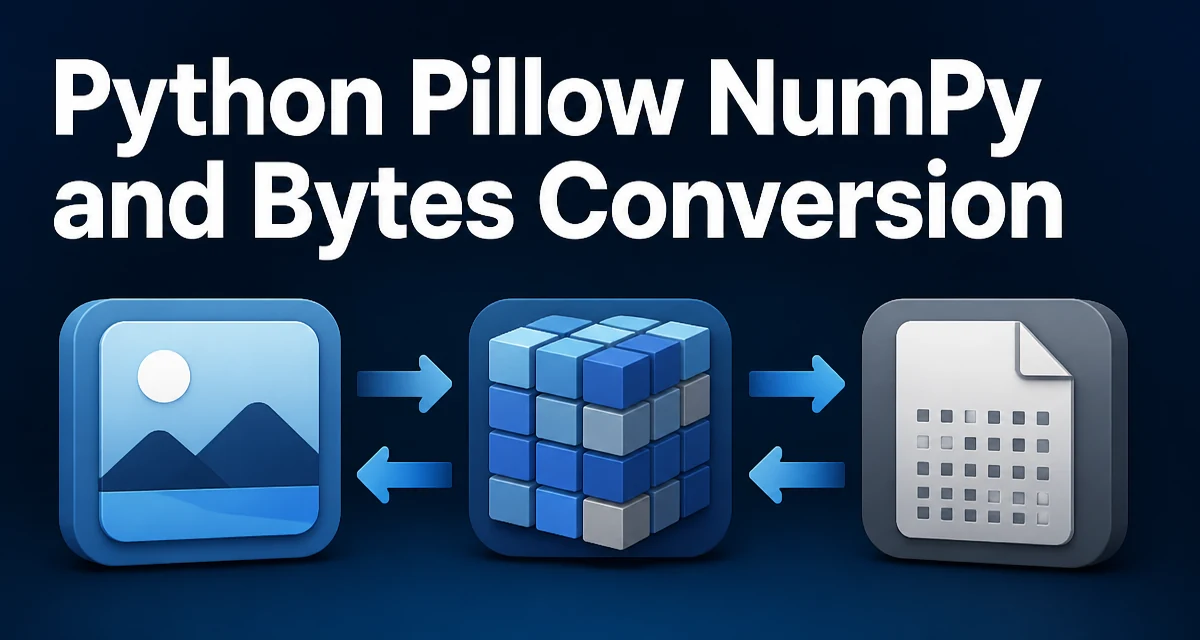
When you work with images in Python, you often need to move data between Pillow's Image object, a NumPy array for pixel manipulation, and raw bytes for storage or transmission. This conversion is a routine part of image processing pipelines, but it has subtle details around modes, dtypes, and memory that can trip up even experienced developers. This article explains the core conversion paths for python pillow numpy and bytes conversion and shows you how to handle them correctly.
The Three Representations: Image, Array, and Bytes
Pillow's Image object is a high-level container that knows the image mode (e.g., 'RGB', 'L', 'RGBA'), size, and pixel data. NumPy represents the same pixel data as a multi-dimensional array, which is convenient for vectorized operations. Bytes are the raw serialized form—either the encoded file data (like PNG or JPEG) or the raw pixel buffer without any container.
Each representation serves a different purpose:
Imageis used for loading, saving, and basic image operations.- NumPy array is used for numerical processing, such as applying filters or computing statistics.
- bytes are used for network transfer, database storage, or passing data between libraries that expect a binary stream.
Understanding the conversion between these three is essential for building robust image processing code.
Converting Pillow Image to NumPy Array
The most direct way to convert a Pillow image to a NumPy array is np.array(image). This returns an array whose shape depends on the image mode:
from PIL import Image
import numpy as np

img = Image.open('example.png')
arr = np.array(img)
print(arr.shape)  # (height, width, channels) for RGB
For an 'RGB' image, arr has shape (height, width, 3) and dtype uint8. For a grayscale 'L' image, it is (height, width) with dtype uint8. The array is a separate object; modifying it does not change the original Image. If you need a writable array, np.array() already gives you one.
An alternative is image.getdata(), which returns a sequence of pixel values, but np.array() is more convenient because it preserves the spatial structure and integrates directly with NumPy operations.
Converting NumPy Array to Pillow Image
The reverse conversion uses Image.fromarray(). This function expects a NumPy array with a shape and dtype that map to a valid Pillow mode:
from PIL import Image
import numpy as np

arr = np.zeros((100, 200, 3), dtype=np.uint8)
arr[:, :, 0] = 255  # red channel
img = Image.fromarray(arr)
For an RGB image, the array must have shape (height, width, 3) and dtype uint8. For grayscale, it should be (height, width) with dtype uint8. If your array has a different dtype, such as float32, you must convert it to uint8 first, otherwise Image.fromarray() raises a TypeError.
Note that Image.fromarray() may share memory with the input array, but this behavior is not guaranteed across all modes and Pillow versions. For predictable behavior, treat the resulting image as independent and copy the array if you plan to modify it later.
Converting Pillow Image to Bytes
There are two distinct ways to get bytes from a Pillow image, depending on what you need:
image.tobytes()returns the raw pixel data as a bytes object, without any file encoding.image.save(io.BytesIO(), format='PNG')returns the encoded file data (e.g., PNG or JPEG) as bytes.
Here is how to use both:
from PIL import Image
import io

img = Image.open('example.png')

# Raw pixel data
raw_bytes = img.tobytes()

# Encoded file data
buffer = io.BytesIO()
img.save(buffer, format='PNG')
encoded_bytes = buffer.getvalue()
The raw bytes are useful when you need to pass pixel data to a low-level library that expects a contiguous buffer. The encoded bytes are what you would send over a network or store in a file, because they include compression and metadata.
Converting Bytes to Pillow Image
To reconstruct an image from bytes, you again have two paths:
Image.open(io.BytesIO(data))for encoded file data.Image.frombytes(mode, size, data)for raw pixel data.
Example for encoded data:
from PIL import Image
import io

# Assume encoded_bytes contains a PNG image
img = Image.open(io.BytesIO(encoded_bytes))
For raw pixel data, you must specify the mode and size because the bytes contain no header:
from PIL import Image

# raw_bytes from image.tobytes()
img = Image.frombytes('RGB', (width, height), raw_bytes)
The data argument must have exactly width * height * channels bytes for the given mode. If the length does not match, Pillow raises a ValueError.
Handling Mode, Dtype, and Channel Order
Pillow modes and NumPy dtypes are tightly coupled. The table below shows common mappings:
| Pillow mode | NumPy array shape | dtype |
|---|---|---|
'L' | (height, width) | uint8 |
'RGB' | (height, width, 3) | uint8 |
'RGBA' | (height, width, 4) | uint8 |
'F' | (height, width) | float32 |
When you use np.array(), the array dtype matches the image mode. For Image.fromarray(), the array dtype must be compatible with the target mode. If you have a float array for an RGB image, you need to clip and convert to uint8:
arr_float = np.random.rand(100, 100, 3) * 255
arr_uint8 = arr_float.astype(np.uint8)
img = Image.fromarray(arr_uint8)
Channel order is preserved: Pillow uses RGB order, and the array channels are in the same order. There is no automatic BGR conversion like in OpenCV, so be careful when mixing libraries.
Performance and Memory Considerations
Converting between representations can create copies of the pixel data, which matters for large images. np.array(image) always creates a new array, so the original image and the array do not share memory. Image.fromarray() may share memory with the array, but relying on that is risky. If you need to modify the array after creating an image, make a copy with arr.copy() to avoid unexpected side effects.
For high-resolution images, avoid unnecessary conversions. If you only need to read pixel values, np.array(image) is fine. If you are generating an image from a NumPy array, ensure the array is contiguous and has the correct dtype to prevent Pillow from making an internal copy.
Raw bytes conversion via tobytes() and frombytes() is generally fast because it is a direct memory copy. Encoded bytes through BytesIO involve compression, which is CPU-intensive for large images, so that is a separate cost.
Practical Workflow: Load, Process, Save
Here is a complete example that loads an image, converts it to a NumPy array, applies a simple grayscale filter, and saves the result as PNG bytes:
from PIL import Image
import numpy as np
import io

# Load image
img = Image.open('input.jpg')

# Convert to numpy array
arr = np.array(img)

# Convert to grayscale manually (average channels)
gray = arr.mean(axis=2).astype(np.uint8)

# Convert back to Pillow image
img_gray = Image.fromarray(gray)

# Save to encoded bytes
buffer = io.BytesIO()
img_gray.save(buffer, format='PNG')
png_bytes = buffer.getvalue()
This pattern is common in web services where you receive an image, process it with NumPy, or return it as bytes. Note that arr.mean(axis=2) returns a float array, so we cast to uint8 before passing to Image.fromarray().
Common Errors and Their Causes
A frequent error is TypeError: Cannot handle this data type when calling Image.fromarray() with a non-uint8 array. The fix is to convert the array to the correct dtype. Another is ValueError: not enough image data when using Image.frombytes() with a data buffer that is too short. Check that the mode and size match the byte count.
When loading from bytes, Image.open() expects a file-like object, not a raw bytes object. If you pass bytes directly, you get a TypeError. Always wrap the bytes in io.BytesIO(). These errors are easy to diagnose once you understand the data flow between Pillow, NumPy, and bytes.