Python Playwright: Save and Reuse Login Session
python playwright save and reuse login session: Learn how to save and reuse a login session in Python Playwright using storage_state, so automated tests and scripts sk...
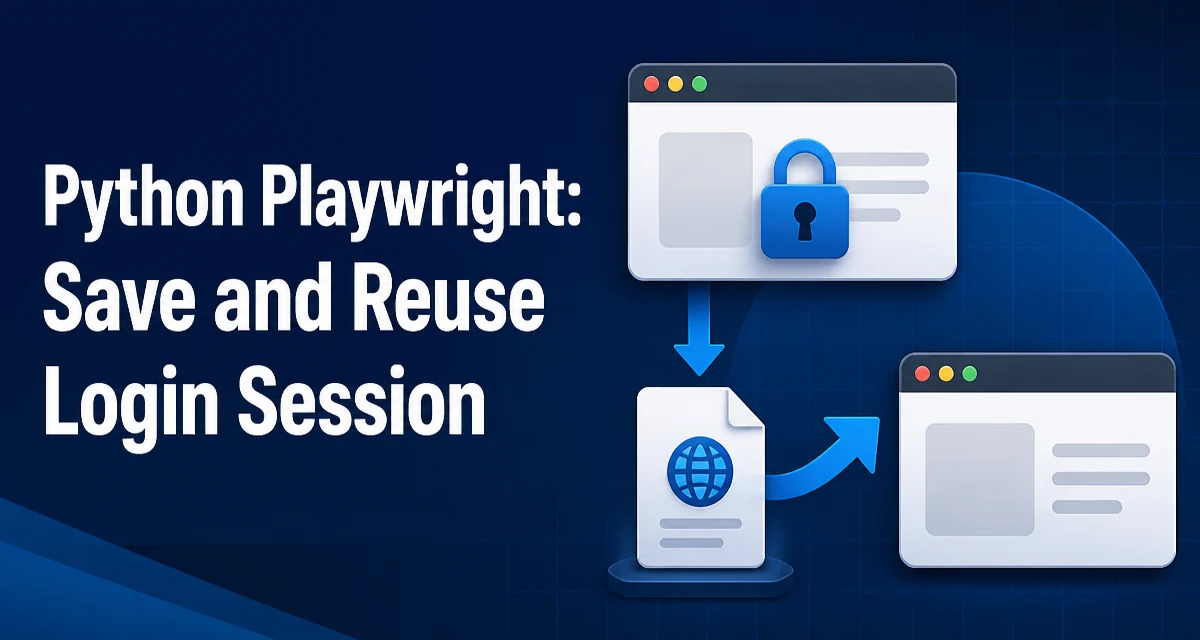
When automating a web application with Playwright, re-authenticating on every run wastes time and can trigger anti-bot protections. The python playwright save and reuse login session pattern solves this by persisting the browser's storage state—cookies, localStorage, and sessionStorage—to a file and loading it back into a fresh context. This approach is especially useful for test suites and scheduled scripts that need to start already authenticated.
Why Save and Reuse a Login Session in Playwright
Most web applications require authentication before exposing the data or flows you want to automate. Logging in repeatedly is not only slow but also increases the chance of being flagged by rate limiting or bot detection. Saving the session after the first successful login lets subsequent runs start with a valid authenticated state.
Playwright's browser context is the natural unit for session state. Each context is isolated from others, but you can export its storage state and import it later. This gives you a deterministic way to restore cookies, local storage, and session storage without re-running the login flow.
The saved state is just a JSON file. You can store it in your project, in a temporary directory, or in a CI artifact. The file contains cookies and storage entries that Playwright can load into a new context.
How Playwright Stores Login State: storage_state
Playwright represents the session data as a storage_state object. This object contains two main parts: cookies and origins. Each origin holds its local storage and session storage key-value pairs. When you save the state, Playwright serializes these into JSON.
In Python, the storage_state is available on a browser context. You can retrieve it as a dictionary or write it directly to a file using the path parameter. Loading it back is done by passing the same file path or dictionary to browser.new_context().
Here is a minimal example of saving the state after login:
from playwright.sync_api import sync_playwright

with sync_playwright() as p:
    browser = p.chromium.launch()
    context = browser.new_context()
    page = context.new_page()

    # Perform login steps
    page.goto("https://example.com/login")
    page.fill("#username", "your_username")
    page.fill("#password", "your_password")
    page.click("button[type=submit]")
    page.wait_for_selector(".dashboard")

    # Save the session state to a file
    context.storage_state(path="state.json")

    browser.close()
The path argument writes the storage state to state.json. You can then reuse this file in another script or in a later run.
Saving the Login Session After Authentication
You must save the storage state only after authentication is complete and the session is stable. If you save too early, you might capture a partially initialized session or miss cookies that are set asynchronously after page load.
A reliable way is to wait for an element that only appears after login, as shown above. Alternatively, you can wait for a specific URL pattern or check that a network request succeeded. The key is to ensure the session is fully established before exporting.
You can also retrieve the storage state as a Python dictionary and modify it before saving:
state = context.storage_state()
# state is a dict with 'cookies' and 'origins'
This allows you to filter cookies or add custom entries if needed, though in most cases the direct file export is sufficient.
If your login flow involves multi-factor authentication or captcha, you may want to run it once manually, save the state, and then reuse it in automated runs. This avoids automating complex or fragile authentication steps repeatedly.
Reusing the Saved Session in a New Browser Context
To reuse the saved session, create a new browser context and pass the storage_state parameter. You can provide either the file path or a dictionary.
from playwright.sync_api import sync_playwright

with sync_playwright() as p:
    browser = p.chromium.launch()
    context = browser.new_context(storage_state="state.json")
    page = context.new_page()

    # Now you are authenticated
    page.goto("https://example.com/dashboard")
    print(page.title())

    browser.close()
When you load the state, Playwright sets the cookies and storage data before any page is opened. This means the first request you make already includes the session cookies, and the page will see the same local storage as the original session.
You can also pass the storage state as a dictionary if you have it in memory:
state = context.storage_state()  # from an earlier context
context2 = browser.new_context(storage_state=state)
This is useful when you are copying a session between contexts within the same script.
Handling Session Expiry and Re-authentication
Saved sessions do not last forever. Session cookies typically have an expiration time, and server-side sessions can be invalidated for other reasons. When the saved state becomes invalid, your automation will receive redirects to login pages or see authentication errors.
To handle this gracefully, you can detect when a session has expired and re-authenticate. A common pattern is to check for a login redirect or a specific element that indicates the user is not logged in.
page.goto("https://example.com/dashboard")
if page.url.startswith("https://example.com/login"):
    # Re-login and save a new state
    page.fill("#username", "your_username")
    page.fill("#password", "your_password")
    page.click("button[type=submit]")
    page.wait_for_selector(".dashboard")
    context.storage_state(path="state.json")
This approach keeps the saved state fresh. If your automation runs frequently, you might want to re-save the state after every successful run to extend its validity.
Another consideration is that some applications rotate session tokens or set new cookies during navigation. If you reuse the same state for a long time, you might miss updated cookies. You can periodically refresh the saved state by re-exporting it from an active context.
Security and Operational Considerations for Stored Sessions
Storing a login session in a file introduces security risks. The state.json file contains authentication tokens and cookies that grant access to the application. If an attacker obtains this file, they can impersonate the user without needing credentials.
Treat the storage state file like a credential. Do not commit it to version control. Add it to .gitignore and store it in a secure location. In CI environments, use secret management or artifact storage with restricted access.
Also consider the scope of the session. If the application uses short-lived tokens, the risk of a leaked file is limited by the token expiration. For long-lived sessions, the risk is higher. You can mitigate this by limiting the file's permissions on the filesystem:
chmod 600 state.json
In production automation, you might prefer to keep the storage state in memory or in a secure vault rather than on disk. Playwright allows you to pass the state as a dictionary, so you can load it from an encrypted source.
Another operational concern is the browser version and profile compatibility. The storage state format is stable across Playwright versions, but cookies may be tied to specific domains and paths. Ensure the state file is used with the same base URL and browser type.
When to Use Storage State vs. Other Authentication Approaches
Storage state is not the only way to handle authentication in Playwright. You can also add cookies directly, set tokens via JavaScript, or use a custom authentication flow. Each approach has tradeoffs.
| Approach | Best for | Limitations |
|---|---|---|
| Storage state | Reusing a full session with cookies and local storage | File must be kept secure; session can expire |
| Adding cookies manually | Simple token-based auth | Requires knowing cookie names and values; no local storage |
Injecting localStorage via add_init_script | Apps that rely on client-side auth tokens | Does not set cookies; may not work for server-side sessions |
| Re-running login flow | One-off scripts or tests with complex auth | Slower; may trigger bot detection |
Use storage state when you need a realistic, complete session that includes cookies and storage. It is the closest to a real user session and works with most applications.
If you only need to pass a bearer token in headers, adding cookies might be simpler. But if the application uses local storage to store user info or feature flags, storage state is more reliable.
For tests that require a fresh login every time, re-running the login flow is appropriate. For long-running automation, saving and reusing the session is usually the right choice.
Ultimately, the decision depends on how your application manages authentication and how sensitive the stored session is. Weigh the convenience of skipping login against the security implications of persisting session data.