Python Polars When Then Otherwise Conditional Expressions
python polars when then otherwise conditional expressions: Learn how to use Polars when-then-otherwise expressions to create conditional columns and transform data wit...
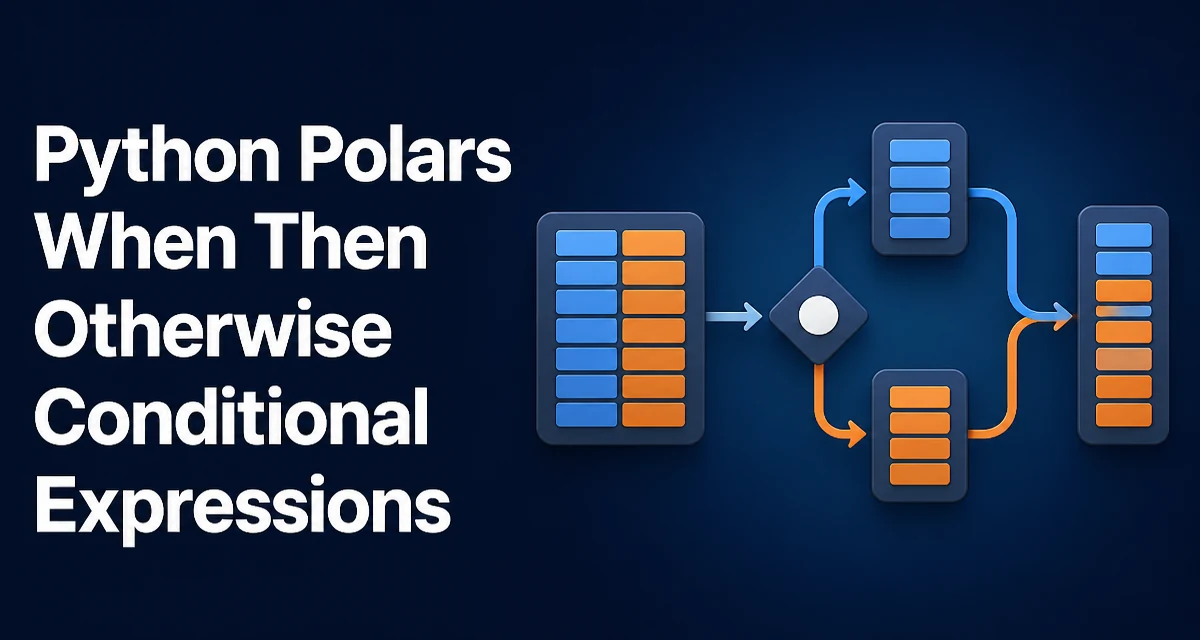
When you need to apply conditional logic to a Polars DataFrame, the when-then-otherwise expression is the primary tool. It works like a vectorized if-elif-else that operates on entire columns, avoiding Python-level loops and keeping operations lazy. This article focuses on the syntax, common patterns, and practical considerations for using python polars when then otherwise conditional expressions effectively.
Basic Syntax of when-then-otherwise
The core structure is pl.when(condition).then(value).otherwise(value). The condition is a boolean expression that evaluates element-wise, and the then and otherwise branches can be literals, column references, or other expressions.
import polars as pl

df = pl.DataFrame({
    "score": [45, 78, 92, 61, 30],
})

df.with_columns(
    pl.when(pl.col("score") >= 60)
    .then("pass")
    .otherwise("fail")
    .alias("result")
)
This adds a result column where each row gets "pass" if the score is at least 60, otherwise "fail". The expression is evaluated column-wise, which is efficient because Polars processes data in chunks using the underlying Arrow memory format.
Chaining Multiple Conditions with then
For more than two outcomes, you chain additional .when() calls after a .then(). This mirrors an elif chain. The first condition that evaluates to true determines the result; later conditions are only evaluated for rows that did not match earlier ones.
df.with_columns(
    pl.when(pl.col("score") >= 90)
    .then("A")
    .when(pl.col("score") >= 75)
    .then("B")
    .when(pl.col("score") >= 60)
    .then("C")
    .otherwise("F")
    .alias("grade")
)
Order matters. If you reverse the thresholds, the logic breaks because the first condition catches rows that should fall into a later bucket. This is a common source of bugs, especially when thresholds overlap.
Using Conditions Across Multiple Columns
Conditions can reference any number of columns. For example, you might classify rows based on both a numeric threshold and a categorical flag.
df = pl.DataFrame({
    "user": ["alice", "bob", "carol"],
    "age": [25, 17, 32],
    "is_student": [True, True, False],
})

df.with_columns(
    pl.when((pl.col("age") < 18) | (pl.col("is_student")))
    .then("discount")
    .otherwise("standard")
    .alias("ticket_type")
)
Combine conditions with & (and), | (or), and ~ (not). Parentheses are required around each comparison because Polars operator precedence follows Python rules, and & binds tighter than | in some contexts. In practice, always wrap each condition in parentheses to avoid ambiguity.
Using when-then-otherwise Inside Other Expressions
The when-then-otherwise expression can be nested inside other Polars expressions, such as pl.col, pl.sum, or pl.mean. This is useful for conditional aggregation or for creating computed columns that feed into further transformations.
df = pl.DataFrame({
    "category": ["A", "B", "A", "B"],
    "value": [10, 20, 30, 40],
})

df.group_by("category").agg(
    pl.sum(pl.when(pl.col("value") > 15).then(pl.col("value")).otherwise(0)).alias("sum_over_15")
)
Here, pl.sum receives an expression that returns the original value only when it exceeds 15, otherwise zero. This avoids filtering rows and then aggregating separately, which can be more concise and often just as fast.
Performance Considerations
Because when-then-otherwise is a vectorized expression, it avoids Python-level row iteration. Polars evaluates the expression lazily when used in a select or with_columns context, and the underlying engine may optimize the evaluation order. For large DataFrames, this is significantly faster than using apply or a list comprehension.
One nuance: when you chain multiple .when() calls, Polars does not necessarily short-circuit evaluation at the row level. Each condition is computed as a boolean mask, and the final result is assembled by combining masks. This is still efficient because the masks are columnar operations, but it means all conditions are evaluated for all rows. In practice, this is rarely a bottleneck unless you have hundreds of conditions, in which case you might consider restructuring the logic.
Memory usage is also worth noting. Each condition creates a temporary boolean array. If you have many conditions on a very large DataFrame, the intermediate masks can consume memory. This is usually not a problem for typical workloads, but it is a reason to keep the number of conditions reasonable.
Common Pitfalls and How to Avoid Them
Missing otherwise
If you omit .otherwise(), rows that do not match any condition become null. This is sometimes intentional, but often a bug. Always verify whether nulls are acceptable in the output column.
# This yields null for scores below 60
df.with_columns(
    pl.when(pl.col("score") >= 60).then("pass").alias("result")
)
Mixing Data Types
The then and otherwise branches must produce the same data type, or Polars will attempt to cast. If you use an integer in one branch and a string in another, you may get an error or an unexpected cast. For example, .then(1).otherwise("no") will fail because Polars cannot unify Int64 and String automatically. Use .cast(pl.Utf8) or choose consistent types.
Using Python if Instead of when
A common mistake is trying to use a Python if statement inside a select or with_columns. That does not work because if is evaluated once at the expression-building stage, not per row. Always use pl.when for row-wise conditional logic.
Advanced Pattern: Conditional Column with Multiple Branches and Null Handling
Sometimes you need to handle nulls explicitly. You can use pl.when(pl.col("x").is_null()) as a condition to assign a default, then chain other conditions.
df = pl.DataFrame({
    "value": [None, 5, 12, None, 20],
})

df.with_columns(
    pl.when(pl.col("value").is_null())
    .then(0)
    .when(pl.col("value") < 10)
    .then("low")
    .otherwise("high")
    .alias("bucket")
)
This produces a column with 0 for nulls, "low" for values under 10, and "high" otherwise. Note that the then(0) branch is an integer, while the other branches are strings. This will cause a type error because Polars cannot unify Int64 and String. You would need to use .then(pl.lit(0).cast(pl.Utf8)) or make all branches strings. The example above is intentionally flawed to illustrate the type consistency requirement.
A corrected version:
df.with_columns(
    pl.when(pl.col("value").is_null())
    .then(pl.lit("missing"))
    .when(pl.col("value") < 10)
    .then("low")
    .otherwise("high")
    .alias("bucket")
)
Using when-then-otherwise with pl.col and pl.lit for Dynamic Values
The then and otherwise branches can also be expressions that reference other columns. This allows you to copy values conditionally.
df = pl.DataFrame({
    "a": [1, 2, 3],
    "b": [10, 20, 30],
})

df.with_columns(
    pl.when(pl.col("a") > 1)
    .then(pl.col("b"))
    .otherwise(pl.lit(0))
    .alias("c")
)
Here, column c gets the value of b when a is greater than 1, otherwise 0. This is a common pattern for applying business rules that depend on multiple columns.
For literals, pl.lit is not always required; Polars accepts Python literals directly in then and otherwise. However, when you need to combine a literal with an expression (e.g., pl.col("b") * 2), you can write that directly as an expression.
Compatibility with LazyFrames and Streaming
when-then-otherwise works identically on LazyFrame as on DataFrame. Since Polars expressions are lazy by default when used in select or with_columns, you can build complex conditional pipelines without eager evaluation. This is important for large datasets where you want to push down optimizations or use streaming execution.
One thing to note: when using streaming mode, the expression must be supported by the streaming engine. As of recent Polars versions, when-then-otherwise is supported in streaming contexts, but it is always worth checking the Polars documentation for the version you are using. The behavior is stable for typical use cases.
Final Thoughts on Structuring Complex Conditional Logic
When you find yourself chaining many .when() calls, consider whether the logic can be expressed more clearly with a mapping or a separate function. For example, if you are assigning categories based on a numeric range, a pl.cut or pl.binning expression might be more appropriate. However, for arbitrary boolean conditions, when-then-otherwise remains the most direct tool.
Another maintainability tip: name your conditions or use intermediate expressions. Polars allows you to define an expression as a variable and reuse it.
high_score = pl.col("score") >= 90
medium_score = pl.col("score") >= 70

df.with_columns(
    pl.when(high_score).then("high")
    .when(medium_score).then("medium")
    .otherwise("low")
    .alias("level")
)
This makes the logic easier to read and modify. The same expression objects can be reused across multiple with_columns calls if needed.
Finally, remember that when-then-otherwise returns an expression that can be used anywhere a Polars expression is accepted. This includes select, with_columns, filter, group_by aggregations, and even sort (by passing an expression that computes a sort key). Understanding this flexibility lets you solve many data transformation problems without resorting to Python loops or user-defined functions.