Python Process Pool: When and How to Use It
python process pool: Learn how to use Python's process pool for CPU-bound tasks: how it works, when to choose it, error handling, and performance tradeoffs.
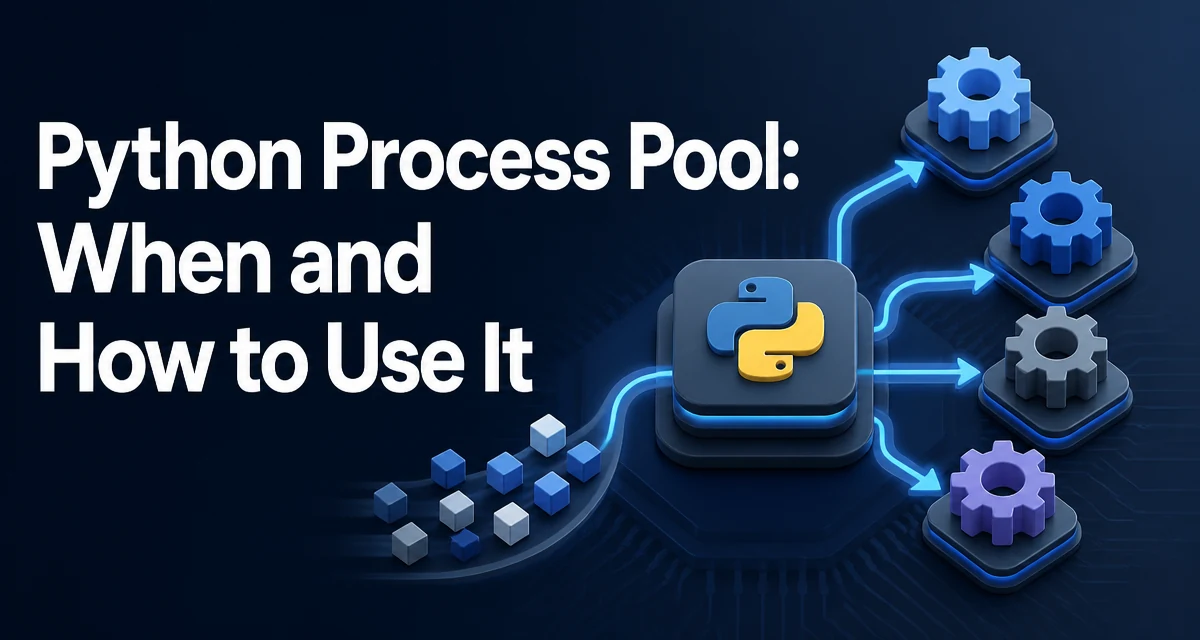
A Python process pool is a collection of pre-spawned worker processes that can execute tasks in parallel. The multiprocessing.Pool class provides a clean interface for distributing work across these processes, which is especially useful for CPU-bound operations that would otherwise be limited by the Global Interpreter Lock (GIL). This article explains how a process pool works, how to use it correctly, and when it is the right tool for the job.
What a Python Process Pool Is and Why It Exists
Python's multiprocessing module allows you to create multiple processes, each with its own Python interpreter and memory space. A process pool takes this a step further by managing a fixed set of worker processes that are reused for multiple tasks. Instead of spawning a new process for every function call, the pool keeps workers alive and assigns tasks to them as they become available.
The main reason to use a process pool is to bypass the GIL. The GIL prevents multiple threads from executing Python bytecode simultaneously, which means CPU-bound Python code does not speed up with threads. Processes, however, are independent and can run on separate CPU cores. A process pool gives you a convenient way to parallelize CPU-intensive work without managing process lifecycles manually.
How the Process Pool Coordinates Work
When you create a Pool, it spawns a number of worker processes (by default, the number of CPU cores). You submit tasks to the pool using methods like map, starmap, apply, or imap. The pool distributes these tasks to workers, collects results, and returns them to the caller. The coordination happens through a queue: the parent process puts tasks into a shared queue, and each worker picks up a task, executes it, and puts the result back into another queue.
This design has important implications. Because each worker is a separate process, arguments and return values must be pickled. This means the functions and data you pass must be picklable. Also, the overhead of inter-process communication (IPC) is not zero. For very small tasks, the cost of pickling and queueing can dominate any speedup from parallelism.
Basic Usage: Pool.map and Pool.starmap
The simplest way to use a process pool is with map, which applies a function to each item in an iterable and collects the results in order. Here is a minimal example:
from multiprocessing import Pool

def square(x):
    return x * x

if __name__ == "__main__":
    with Pool(4) as pool:
        results = pool.map(square, range(10))
    print(results)  # [0, 1, 4, 9, 16, 25, 36, 49, 64, 81]
The with statement ensures that the pool is properly closed and joined, even if an exception occurs. The map method blocks until all tasks complete, and the results are returned in the same order as the input.
If your function takes multiple arguments, use starmap:
from multiprocessing import Pool

def add(a, b):
    return a + b

if __name__ == "__main__":
    with Pool(2) as pool:
        results = pool.starmap(add, [(1, 2), (3, 4)])
    print(results)  # [3, 7]
For more control, apply_async lets you submit a single task and receive a AsyncResult object that you can check or wait on. This is useful when tasks are not uniform or you want to submit them in a loop without blocking.
Handling Exceptions and Return Values
When a worker function raises an exception, it is not raised immediately in the parent process. Instead, it is captured and re-raised when you try to retrieve the result. For map, the exception is raised when the call returns. For apply_async, it is raised when you call get() on the result object.
from multiprocessing import Pool

def broken(x):
    raise ValueError("something went wrong")

if __name__ == "__main__":
    with Pool(1) as pool:
        try:
            pool.map(broken, [1])
        except ValueError as e:
            print(f"Caught: {e}")
This behavior means you need to be careful about where you handle exceptions. If you submit many tasks and one fails, the entire map call will raise, and you may lose results from tasks that completed successfully. To handle failures per task, use apply_async with a callback or check each result individually.
Another subtlety: the worker process that raised the exception is not automatically terminated. It remains alive and can process subsequent tasks. However, if the exception is a KeyboardInterrupt or a system-level error, the worker may become unstable. In general, you should design worker functions to catch and handle expected exceptions internally, or use a result wrapper that includes error information.
Performance Considerations: Overhead and When It Pays Off
The primary benefit of a process pool is that it allows CPU-bound Python code to run on multiple cores. However, this comes with significant overhead. Each task involves pickling the input data, sending it over IPC, unpickling it in the worker, executing the function, pickling the result, and sending it back. For small tasks, this overhead can be larger than the computation itself, making the pool slower than a simple loop.
A good rule of thumb is to use a process pool when each task takes at least a few milliseconds of CPU time and the input/output data is not excessively large. If your tasks are very short, consider batching them into larger chunks or using a thread pool if the bottleneck is I/O rather than CPU.
Memory usage is another factor. Each worker process has its own copy of the Python interpreter and imports. If you have a large dataset that is read-only, you may want to use initializer to load it once per worker rather than passing it with every task. This reduces IPC overhead and memory duplication.
Process Pool vs. Thread Pool vs. ProcessPoolExecutor
Python offers several ways to parallelize work. The threading module provides threads, which are lightweight but limited by the GIL for CPU-bound code. The concurrent.futures module provides both ThreadPoolExecutor and ProcessPoolExecutor. The latter is a higher-level API that wraps multiprocessing and offers a more consistent interface.
| Concern | ThreadPool | ProcessPool (multiprocessing.Pool) | ProcessPoolExecutor |
|---|---|---|---|
| GIL impact | Limited for CPU-bound tasks | Bypasses GIL | Bypasses GIL |
| Memory per worker | Shared with main process | Separate memory space | Separate memory space |
| IPC overhead | Low (shared memory) | High (pickling) | High (pickling) |
| API style | map, submit | map, starmap, apply_async | submit, map |
| Error handling | Exceptions in thread context | Re-raised on result retrieval | Re-raised on future result |
Use multiprocessing.Pool when you need fine-grained control over task distribution, such as imap for lazy iteration or apply_async with callbacks. Use ProcessPoolExecutor when you prefer a consistent interface with submit and as_completed, especially if you might switch between threads and processes. Both are valid for CPU-bound tasks; the choice often comes down to which API feels more natural for your use case.
Common Pitfalls and How to Avoid Them
One of the most common mistakes is forgetting the if __name__ == "__main__" guard when running on Windows or macOS with the default spawn start method. Without it, the worker processes will try to import the main module recursively, causing an infinite loop or a crash. Always protect the code that creates the pool.
Another pitfall is passing unpicklable objects, such as lambda functions or objects with open file handles. Since workers are separate processes, everything must be serializable. If you need to pass a complex object, consider using initializer to set up shared state or use multiprocessing.Manager for shared objects, though the latter introduces its own overhead.
Deadlocks can occur if a worker function tries to join another process or if you call pool.join() while tasks are still pending. The with statement handles this correctly by waiting for all tasks to finish before closing. Avoid calling pool.close() or pool.terminate() manually unless you understand the implications.
Finally, be aware that the number of workers should match your hardware and workload. Creating more workers than CPU cores can lead to context switching overhead, while too few underutilizes the machine. The default is usually a good starting point, but for I/O-heavy tasks you might want more workers, and for memory-intensive tasks you might want fewer to avoid exhausting RAM.
When a task is CPU-bound and the input data is large, consider using imap with a chunksize parameter to reduce IPC frequency. The chunksize controls how many items are sent to each worker at once. A larger chunksize reduces communication overhead but can cause load imbalance if tasks vary in duration. Experiment with different values to find the sweet spot for your specific workload.