Python Psycopg Connection Pooling Explained
Learn how to implement python psycopg connection pooling to reuse PostgreSQL connections, reduce setup overhead, and handle concurrency safely in your applications.
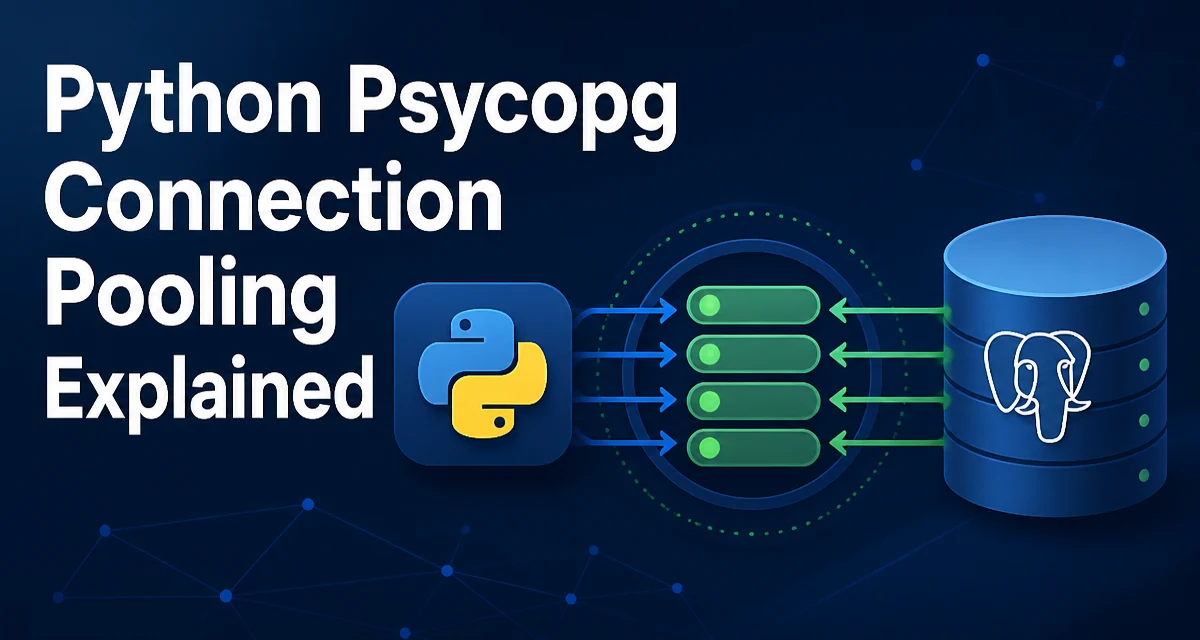
When a Python application opens a new database connection for every request, it pays the cost of TCP handshake, authentication, and session setup each time. python psycopg connection pooling addresses this by reusing a fixed set of connections across requests, reducing latency and avoiding repeated connection overhead.
What Connection Pooling Solves
A PostgreSQL connection is not a cheap resource. Establishing one involves network round trips, authentication, and server-side session initialization. If your application creates a new connection per request, that overhead is paid on every request. Under moderate concurrency, this can saturate the database with connection attempts and degrade response times.
A connection pool keeps a set of already-open connections and hands them out on demand. When a request finishes, the connection is returned to the pool instead of being closed. This way, the expensive setup happens only a few times, and subsequent requests reuse the existing connections.
Setting Up a SimpleConnectionPool in psycopg2
The psycopg2 library includes a pool module with several pool classes. The simplest is SimpleConnectionPool, which is not thread-safe but works well for single-threaded applications or when you manage locking yourself.
from psycopg2.pool import SimpleConnectionPool

pool = SimpleConnectionPool(
    minconn=1,
    maxconn=10,
    host="localhost",
    port=5432,
    dbname="appdb",
    user="appuser",
    password="secret"
)
The minconn and maxconn parameters define the minimum and maximum number of connections the pool will hold. The pool creates minconn connections immediately. As demand grows, it opens more connections up to maxconn.
Acquiring and Releasing Connections
Once the pool exists, you get a connection with getconn() and return it with putconn(). Always return the connection in a finally block so it is not lost when an exception occurs.
try:
    conn = pool.getconn()
    with conn.cursor() as cur:
        cur.execute("SELECT * FROM users WHERE id = %s", (user_id,))
        row = cur.fetchone()
    # Do something with row
except Exception as e:
    print(f"Query failed: {e}")
finally:
    pool.putconn(conn)
If you forget to call putconn(), the connection stays checked out and eventually the pool becomes exhausted. Use a context manager or a helper function to make this pattern less error-prone.
Thread Safety and ThreadedConnectionPool
SimpleConnectionPool is not safe for concurrent use from multiple threads. If your application is multi-threaded, use ThreadedConnectionPool instead. It uses a lock internally to protect the pool's internal state.
from psycopg2.pool import ThreadedConnectionPool

pool = ThreadedConnectionPool(
    minconn=1,
    maxconn=10,
    host="localhost",
    dbname="appdb",
    user="appuser",
    password="secret"
)
The usage pattern is the same as SimpleConnectionPool. The pool ensures that each thread gets a distinct connection when getconn() is called, and that the same connection is not handed out to two threads at the same time.
Handling Connection Failures and Pool Exhaustion
When the pool reaches maxconn, getconn() will block until a connection is returned. This can cause your application to hang if connections are leaked. Set a timeout or use a queue with a timeout to avoid indefinite waits.
If a connection breaks (for example, the database restarts), the pool may still hold a stale connection. When you get it and execute a query, you will receive an OperationalError. A common practice is to close the broken connection and replace it.
try:
    conn = pool.getconn()
    # run query
except psycopg2.OperationalError:
    pool.putconn(conn, close=True)
    conn = pool.getconn()  # get a fresh connection
    # retry query
The close=True argument tells the pool to discard the connection instead of returning it to the pool. This prevents reusing a broken connection.
Tuning Pool Parameters
The right minconn and maxconn values depend on your workload and database capacity. A small maxconn limits concurrency but protects the database from overload. A large maxconn allows more simultaneous queries but consumes more memory and database resources.
Start with minconn equal to the number of concurrent workers you expect to run at steady state. Set maxconn to a value that your database can handle without degrading performance. Monitor connection usage and adjust accordingly.
Connection Pooling with psycopg3
psycopg3, the successor to psycopg2, does not include a built-in pool. Instead, it provides a separate package called psycopg_pool. The API is similar but designed for psycopg3.
from psycopg_pool import ConnectionPool

pool = ConnectionPool(
    conninfo="postgresql://appuser:secret@localhost/appdb",
    min_size=1,
    max_size=10,
    open=False  # defer opening until explicitly opened
)
pool.open()

with pool.connection() as conn:
    with conn.cursor() as cur:
        cur.execute("SELECT * FROM users")
        rows = cur.fetchall()
The pool.connection() context manager acquires a connection and returns it automatically when the block exits, even if an exception occurs.
When Not to Use a Pool
Connection pooling is not always the right choice. For a short-lived script that runs a few queries and exits, the overhead of managing a pool may not be worth it. Similarly, if your application uses a single long-lived connection and does not need concurrency, a pool adds unnecessary complexity.
Pools also require careful handling of transactions. If you check out a connection and leave a transaction open, the connection cannot be safely reused until the transaction is committed or rolled back. Always ensure that transactions are closed before returning the connection to the pool.
In a serverless environment where each invocation runs in a fresh process, a pool may not persist between invocations. In that case, you may need to create a connection per invocation or use an external pool service.