python pytorch vs tensorflow: Which One Fits Your Project
python pytorch vs tensorflow: Compare PyTorch and TensorFlow from a developer's perspective: API design, training loops, debugging, deployment, and decision criteria f...
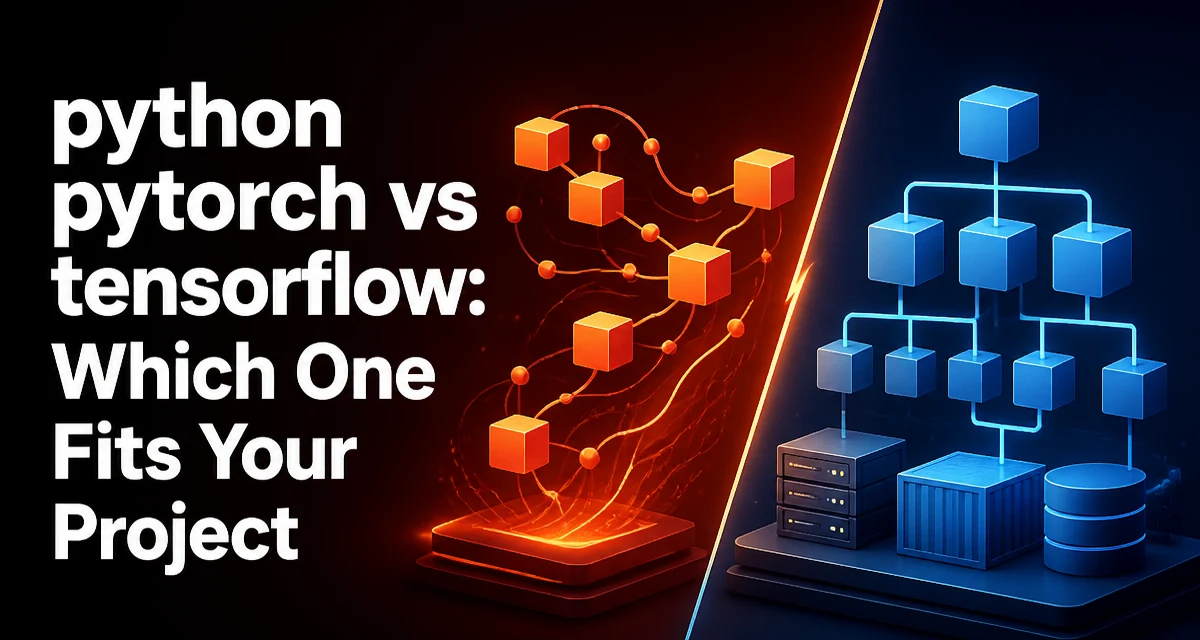
When developers weigh python pytorch vs tensorflow, the first difference they notice is not performance but API philosophy. PyTorch is built around an imperative, dynamic computation graph, while TensorFlow 2.x offers eager execution by default but still retains a graph-based execution model through tf.function. This distinction shapes how you write, debug, and deploy models, and it often determines which framework feels natural for a given team.
The Core Difference in API Design
PyTorch executes operations immediately, line by line. You write Python code, and each tensor operation runs right away. This is called eager execution. TensorFlow 2.x also runs eagerly by default, but it encourages wrapping computation in tf.function to create a graph that can be optimized and deployed independently. The practical consequence is that PyTorch feels like writing NumPy with automatic differentiation, while TensorFlow often feels like writing Python that gets compiled into a computational graph behind the scenes.
For example, a simple matrix multiplication in PyTorch:
import torch

a = torch.randn(3, 4)
b = torch.randn(4, 5)
c = torch.matmul(a, b)
print(c.shape)  # torch.Size([3, 5])
The same operation in TensorFlow:
import tensorflow as tf

a = tf.random.normal([3, 4])
b = tf.random.normal([4, 5])
c = tf.matmul(a, b)
print(c.shape)  # (3, 5)
Both produce the same result, but the debugging experience differs. In PyTorch, a runtime error gives you a standard Python traceback with line numbers in your model code. In TensorFlow, errors can surface during graph tracing or inside tf.function boundaries, which sometimes makes the source of the failure less obvious.
Model Definition: nn.Module vs Keras API
PyTorch uses torch.nn.Module as the base class for all neural network layers and models. You define __init__ and forward methods, and the framework handles parameter registration. This is explicit and gives you full control over the forward pass.
import torch.nn as nn

class SimpleNet(nn.Module):
    def __init__(self):
        super().__init__()
        self.fc1 = nn.Linear(784, 128)
        self.relu = nn.ReLU()
        self.fc2 = nn.Linear(128, 10)

    def forward(self, x):
        x = self.fc1(x)
        x = self.relu(x)
        x = self.fc2(x)
        return x
TensorFlow offers the Keras API as the primary high-level interface. You can define models using tf.keras.Sequential, the functional API, or by subclassing tf.keras.Model. The subclassing approach resembles PyTorch's nn.Module, but the default and most common style is the functional or Sequential API, which is declarative.
import tensorflow as tf

model = tf.keras.Sequential([
    tf.keras.layers.Dense(128, activation='relu', input_shape=(784,)),
    tf.keras.layers.Dense(10)
])
Keras's declarative style is concise, but it can feel limiting when you need custom control flow or multiple inputs with complex branching. PyTorch's explicit forward method makes arbitrary control flow straightforward because you are just writing Python.
Training Loop: Custom vs High-Level
PyTorch does not ship with a built-in fit method. You write the training loop manually, which gives you full visibility into each step.
import torch.optim as optim

model = SimpleNet()
optimizer = optim.SGD(model.parameters(), lr=0.01)
loss_fn = nn.CrossEntropyLoss()

data_loader = ...  # torch.utils.data.DataLoader

for epoch in range(10):
    for x_batch, y_batch in data_loader:
        optimizer.zero_grad()
        outputs = model(x_batch)
        loss = loss_fn(outputs, y_batch)
        loss.backward()
        optimizer.step()
TensorFlow's Keras provides model.fit(), which handles batching, epochs, validation, and callbacks. For standard training, this reduces boilerplate.
model.compile(optimizer='sgd', loss='sparse_categorical_crossentropy')
model.fit(x_train, y_train, epochs=10, validation_data=(x_val, y_val))
If you need a custom training step in TensorFlow, you can use tf.GradientTape inside a training loop, but you must manage the tape context and explicitly apply gradients. The Keras fit method is convenient, but it can obscure what happens inside each step. PyTorch's explicit loop makes it easier to insert logging, gradient clipping, or custom learning-rate schedules without fighting a framework abstraction.
Debugging and Inspection
PyTorch's eager execution means you can use standard Python debuggers like pdb or ipdb directly inside the forward pass. You can print tensor values, inspect shapes, and step through the model code without any special tooling. This is a major advantage when you are developing new architectures or debugging subtle numerical issues.
TensorFlow's eager mode also allows debugging, but once you wrap code in tf.function, you lose the ability to inspect intermediate tensors from the Python side. The graph is traced and optimized, so errors may only appear when the graph is executed. You can still use tf.print inside the function, but it is not as straightforward as setting a breakpoint in a Python debugger.
For production, TensorFlow's graph mode is often preferred because it enables optimizations like operator fusion and XLA compilation. PyTorch also has torch.compile and TorchScript for similar purposes, but they are not as central to the default workflow as tf.function is in TensorFlow.
Deployment and Serving
Both frameworks have mature serving solutions. TensorFlow Serving is a dedicated system for serving TensorFlow models in production. It handles model versioning, batching, and gRPC/REST endpoints. You export a model using the SavedModel format, and TensorFlow Serving can load it without needing the original Python code.
PyTorch offers TorchServe, which provides similar functionality: model archiving, REST endpoints, and batching. TorchServe also supports eager mode and TorchScript models. Additionally, both frameworks can export to ONNX, which allows you to use a different runtime for inference, such as ONNX Runtime or OpenVINO.
If your deployment stack is Kubernetes-based, both TorchServe and TensorFlow Serving can be containerized and scaled. The choice often comes down to the rest of your infrastructure. TensorFlow Serving is more established in large-scale production environments, while TorchServe is simpler to set up for smaller teams that already use Python.
Ecosystem and Community
PyTorch has become the default framework in academic research. Most new papers publish PyTorch code first, and libraries like Hugging Face Transformers are built on PyTorch (with TensorFlow support as an option). If you are implementing a recent architecture, you will likely find a PyTorch reference implementation.
TensorFlow has a broader production ecosystem, including TensorFlow Extended (TFX) for end-to-end ML pipelines, TensorFlow Lite for mobile, and TensorFlow.js for browser-based inference. Keras is also integrated into TensorFlow, which makes it easy to prototype quickly. However, the research community has largely shifted toward PyTorch, so if you need the latest techniques, PyTorch may give you a shorter path from paper to code.
Performance Considerations
Performance claims about frameworks are often misleading because the actual speed depends on the model, hardware, and optimization level. Both frameworks use CUDA and cuDNN for GPU acceleration, and both support distributed training. The key difference is how you enable optimizations.
TensorFlow's tf.function can automatically fuse operations and reduce Python overhead. This can be beneficial for small models or inference workloads where Python overhead dominates. PyTorch's torch.compile (introduced in 2.0) uses TorchInductor to generate optimized kernels, but it is still evolving. For large models with many layers, the GPU kernel execution time usually dominates, and the framework overhead becomes negligible.
Memory usage can also differ. PyTorch's dynamic graph retains intermediate tensors for backward pass, which can increase memory consumption. TensorFlow's static graph can free memory earlier in some cases. However, both frameworks offer gradient checkpointing and other memory-saving techniques. You should profile your specific model rather than rely on general assumptions.
Decision Criteria: Which One to Choose
Choose PyTorch when:
- You are implementing a custom architecture or research prototype and need maximum flexibility.
- You prefer explicit control over the training loop and debugging with standard Python tools.
- You rely on the latest model implementations from the research community.
- Your team already uses Python and values a NumPy-like programming model.
Choose TensorFlow when:
- You need a complete production pipeline with TFX, TensorFlow Serving, or TensorFlow Lite.
- You want a high-level API like Keras for rapid prototyping and standard model types.
- Your team has existing TensorFlow expertise or a codebase that depends on SavedModel.
- You require broad deployment targets, including mobile and web.
There is no universal winner. The decision depends on whether you prioritize research flexibility or production integration. If your project is a one-off experiment, PyTorch's ease of debugging will save you time. If you are building a long-lived service with strict latency requirements, TensorFlow's serving ecosystem might be more attractive.
A practical approach is to prototype in PyTorch and export to ONNX for inference if you need TensorFlow's serving features. This lets you use the best of both worlds without committing to a single framework for the entire lifecycle.