Python QRCode Add Logo and Error Correction
python qrcode add logo and error correction: Learn to generate QR codes in Python with a centered logo, using the qrcode library and Pillow, while choosing the right e...
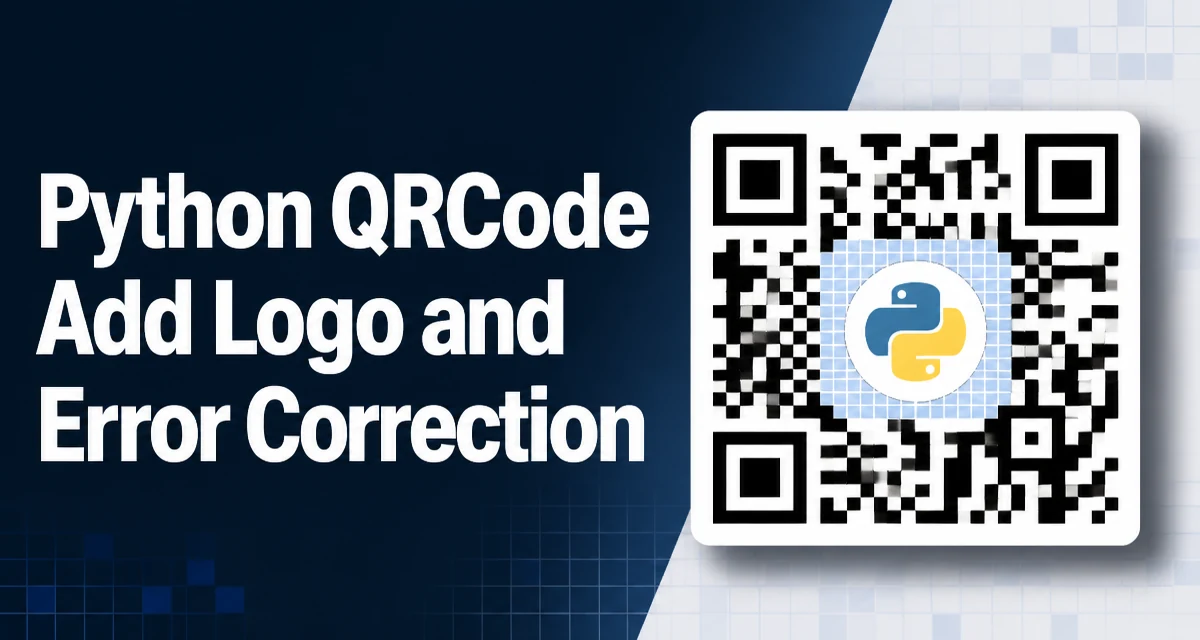
Generating a QR code in Python is straightforward, but adding a logo while preserving scannability requires careful attention to error correction. The qrcode library, combined with Pillow for image manipulation, lets you embed a logo in the center of the code. However, the logo covers part of the data modules, so you must choose an error correction level that can still recover the obscured information. This article explains how to implement python qrcode add logo and error correction in a way that produces reliable, scannable codes.
Understanding QR Code Error Correction Levels
QR codes use Reed–Solomon error correction to recover data when parts of the code are damaged or obscured. The specification defines four levels, each with a different recovery capacity:
| Level | Recovery Capacity | Typical Use |
|---|---|---|
| L | ~7% | High-density codes, minimal damage |
| M | ~15% | General purpose |
| Q | ~25% | Industrial, partial obstruction |
| H | ~30% | Logo placement, heavy damage |
The level you choose directly affects the maximum data capacity and the visual density of the code. For a logo that occupies roughly 15–20% of the QR area, level H is usually necessary because the logo will cover a significant portion of the modules. Level Q can work if the logo is small, but H provides a safer margin.
Choosing the Right Python Library
The most widely used library for generating QR codes in Python is qrcode. It supports multiple output formats and integrates with Pillow for image post-processing. Install it with the pil extra to get Pillow support:
pip install qrcode[pil]
This installs both qrcode and Pillow. The library generates the QR matrix and renders it as an image, which you can then manipulate—for example, to paste a logo in the center.
Generating a Basic QR Code
Start by creating a QRCode object, setting the error correction level, and adding data. The make() method generates the matrix, and make_image() renders it to a PIL image.
import qrcode
from qrcode.constants import ERROR_CORRECT_H

qr = qrcode.QRCode(
    version=None,  # auto-determine size
    error_correction=ERROR_CORRECT_H,
    box_size=10,
    border=4,
)
qr.add_data("https://example.com")
qr.make(fit=True)

img = qr.make_image(fill_color="black", back_color="white")
img.save("qr_without_logo.png")
The version parameter controls the size of the QR matrix. Setting it to None lets the library choose the smallest version that fits the data and error correction level. box_size sets the pixel size of each module, and border defines the quiet zone. The make_image() method returns a PIL image, which you can later combine with the logo.
Adding a Logo to the QR Code
To embed a logo, you need to open the generated QR image, open the logo file, resize the logo to an appropriate size, and paste it in the center. The logo should not cover more than about 20% of the QR area to keep the code scannable.
from PIL import Image

# Open the QR code image
qr_img = Image.open("qr_without_logo.png")

# Open and resize the logo
logo = Image.open("logo.png")
logo_size = qr_img.size[0] // 4  # 25% of QR width
logo = logo.resize((logo_size, logo_size), Image.LANCZOS)

# Calculate position to center the logo
pos = ((qr_img.size[0] - logo_size) // 2, (qr_img.size[1] - logo_size) // 2)
qr_img.paste(logo, pos)

qr_img.save("qr_with_logo.png")
This example resizes the logo to 25% of the QR code's width. A smaller logo, such as 20%, is safer for scanning. The paste method replaces the underlying pixels, so the logo effectively destroys the modules it covers. The error correction level must compensate for this loss.
Balancing Logo Size and Error Correction Capacity
The relationship between logo size and error correction is a trade-off. Larger logos obscure more modules, requiring higher error correction, which in turn reduces data capacity. For a given data payload, you can estimate the maximum logo size by considering the error correction capacity.
A common rule of thumb is to keep the logo width between 15% and 25% of the QR code width. At 25%, level H (30% recovery) is often sufficient, but the exact recovery depends on the logo's shape and position. The QR code's error correction works on a block basis, so a centered logo may affect multiple blocks. Testing with your actual logo and scanner is essential.
If you need to store more data, you may have to reduce the logo size or use a lower error correction level. Conversely, if the logo is a non-rectangular shape, you can sometimes use a smaller bounding box and rely on the transparent areas to preserve modules.
Handling Scanning Reliability and Edge Cases
Even with level H, a poorly placed or oversized logo can make the QR code unreadable. Here are some practical considerations:
- Logo shape: A circular logo with a transparent background covers fewer modules than a square one. Use PNG with transparency to minimize obstruction.
- Quiet zone: Keep the logo away from the three finder patterns (the large squares in the corners). The center is safe, but avoid extending the logo into the timing patterns.
- Scanner testing: Always test the generated QR code with multiple devices and apps. What works on one scanner may fail on another.
- Color contrast: Ensure the QR code's dark modules remain dark and the background remains light. The logo should not blend into the code.
- Logo padding: Adding a white border around the logo can help separate it from the QR modules, but it also covers more area. A thin border often improves scannability.
If you need to generate many QR codes with different data but the same logo, consider pre-processing the logo once and reusing it. This avoids repeated resizing and reduces runtime overhead.
Performance and Production Considerations
Generating a QR code with a logo is computationally inexpensive for a single code, but in a production environment that creates thousands of codes per minute, you should optimize the pipeline.
- Caching: If the same data is requested repeatedly, cache the generated image. Use a key based on the data and error correction level.
- Image format: PNG is lossless and suitable for QR codes. JPEG introduces artifacts that can interfere with scanning, so avoid it.
- Concurrency: The
qrcodelibrary is CPU-bound. Use a thread pool or process pool if generating many codes concurrently, but be mindful of memory usage. - Logo pre-processing: Resize the logo once to the expected dimensions and store it in memory. This avoids repeated
resizecalls.
A typical QR code generation with a logo takes a few milliseconds, but the overhead of file I/O and image processing can add up. Use in-memory buffers (BytesIO) when serving images over HTTP instead of writing to disk.
Building a Reusable Function for Logo Embedding
To keep your code maintainable, encapsulate the generation and logo-embedding logic in a function. This function can accept the data, logo path, error correction level, and output size as parameters.
from io import BytesIO
import qrcode
from qrcode.constants import ERROR_CORRECT_H
from PIL import Image

def make_qr_with_logo(data, logo_path, output_path=None, box_size=10, border=4, logo_ratio=0.2):
    qr = qrcode.QRCode(
        version=None,
        error_correction=ERROR_CORRECT_H,
        box_size=box_size,
        border=border,
    )
    qr.add_data(data)
    qr.make(fit=True)
    qr_img = qr.make_image(fill_color="black", back_color="white").convert("RGB")

    logo = Image.open(logo_path)
    logo_size = int(qr_img.size[0] * logo_ratio)
    logo = logo.resize((logo_size, logo_size), Image.LANCZOS)

    pos = ((qr_img.size[0] - logo_size) // 2, (qr_img.size[1] - logo_size) // 2)
    qr_img.paste(logo, pos)

    if output_path:
        qr_img.save(output_path)
    else:
        buf = BytesIO()
        qr_img.save(buf, format="PNG")
        return buf.getvalue()
This function returns a byte string if no output path is given, making it easy to serve the image directly from a web framework. The logo_ratio parameter controls the logo size relative to the QR code width. Adjust it based on your error correction level and testing results.
When using this function, remember that the error correction level is hardcoded to ERROR_CORRECT_H. If you need a different level, add a parameter and pass it through. The key is to always test the output with a real scanner, because the actual recovery depends on the logo's shape and the QR version.