Python Reversed Range: How to Iterate Backward
python reversed range: Learn how to iterate over a range in reverse order in Python using reversed(), negative step, and other techniques. Compare readability and perf...
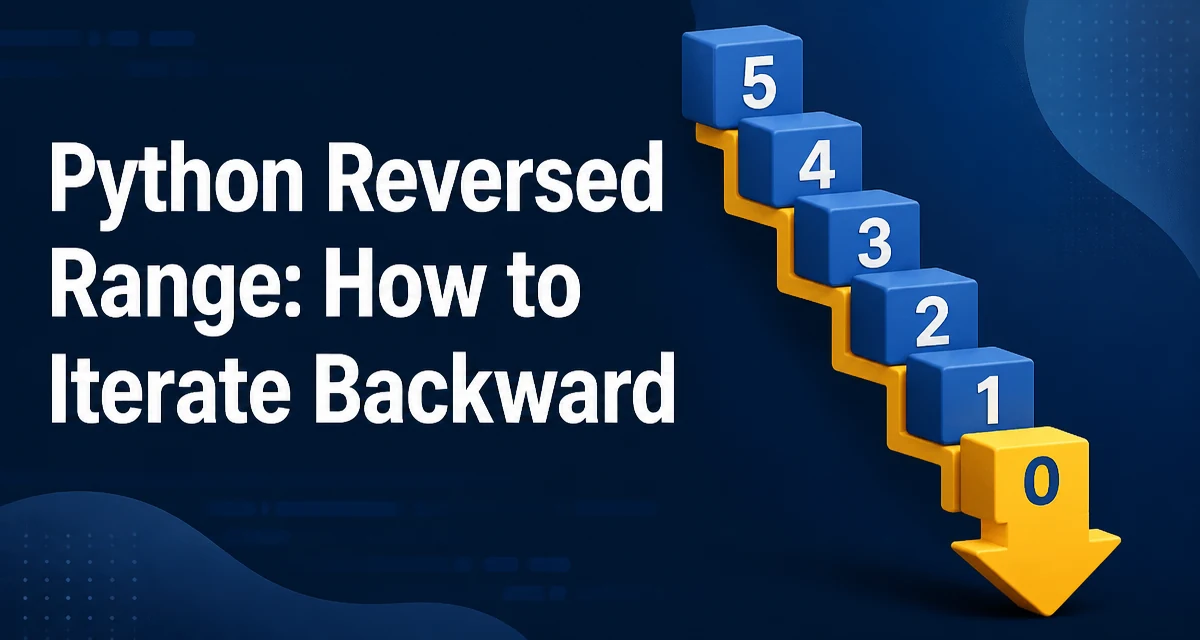
When you need to iterate over a sequence of integers in descending order, Python's range() function does not offer a direct reverse mode. The python reversed range pattern is a common need in loops that process indices from the end to the beginning. This article covers the two main ways to achieve reverse iteration with range: using the built-in reversed() function and using a negative step. We'll compare their readability, behavior, and performance, and look at common mistakes.
Why range() Doesn't Reverse by Default
range() generates an arithmetic progression. Its default step is 1, and it always produces values from start to stop - 1 in increasing order. For example, range(5) yields 0, 1, 2, 3, 4. There is no parameter that tells range to go backward directly. You must either reverse the iterator after range produces it or construct a range object that starts at the end and uses a negative step.
Both approaches are valid, but they differ in how you express the bounds and how easy it is to make off-by-one errors. Understanding the mechanics of each helps you choose the right one for a given situation.
Using reversed(range(n)) for Simple Reverse Iteration
The most straightforward way to iterate over a range in reverse is to pass the range object to the built-in reversed() function. reversed() returns an iterator that yields elements from the end of the sequence to the beginning.
for i in reversed(range(5)):
    print(i)
This prints 4, 3, 2, 1, 0. The reversed() function works because range objects implement the sequence protocol, meaning they support len() and indexing. reversed() uses those methods to traverse backward without materializing the entire sequence into memory.
This approach is concise and reads naturally: you are reversing a range. It is also less error-prone because you only specify the stop value, just like a forward range. The start value is implicitly stop - 1.
Using range() with a Negative Step
You can also create a range object that steps downward by providing a negative step. The syntax is range(start, stop, step), where step is negative. For example, to iterate from 4 down to 0, you write:
for i in range(4, -1, -1):
    print(i)
This prints the same sequence as reversed(range(5)). The start is the first value, and stop is the value at which iteration stops (exclusive). With a negative step, stop should be one less than the smallest value you want to include. In this case, you want 0 as the lowest, so stop is -1.
The negative step gives you more control over the step size. If you need to skip values, you can set step to -2, -3, or any negative integer. reversed() always steps by -1.
Comparing reversed() and Negative Step Approaches
The two methods produce identical results when the step is -1. The choice often comes down to readability and the need for a custom step.
| Criterion | reversed(range(n)) | range(start, stop, -1) |
|---|---|---|
| Step size | Always -1 | Any negative integer |
| Readability | High; reads as "reverse a range" | Requires careful start/stop calculation |
| Off-by-one risk | Low | High; stop must be one below the last desired value |
| Memory | O(1) | O(1) |
| Best fit | Simple reverse iteration | Custom step sizes or when you already have start and stop |
For most cases, reversed(range(n)) is the better choice because it avoids the mental overhead of computing the correct stop value. It also makes the intent explicit: you are iterating a range in reverse. If you need a step other than -1, the negative step form is the only option.
Common Off-by-One Mistakes with Negative Steps
A frequent error is using range(n, 0, -1) when you actually want to include 0. This loop stops at 1 because 0 is the exclusive stop value. For example:
for i in range(5, 0, -1):
    print(i)  # prints 5, 4, 3, 2, 1
To include 0, the stop must be -1:
for i in range(5, -1, -1):
    print(i)  # prints 5, 4, 3, 2, 1, 0
Another mistake is forgetting that the stop value is exclusive even with a negative step. The same rule applies: iteration continues while the current value is greater than stop. This is a common source of bugs when converting a forward loop to a reverse loop.
Using reversed(range(n)) eliminates this entire class of errors because you never specify a stop value. The reversed() function handles the boundary correctly.
Performance and Memory Considerations
Both reversed(range(n)) and range(start, stop, -1) are lazy and use O(1) memory. range does not create a list; it computes each value on demand. reversed() returns an iterator that calls __getitem__ on the range object, which is also O(1) per element. There is no materialization of the entire sequence.
In practice, the performance difference between the two is negligible for most workloads. The overhead of reversed() is a single function call and an iterator wrapper, while the negative step form requires a slightly more complex range object. Neither approach allocates a list, so they scale well to large ranges.
If you need a list of reversed values, you might be tempted to use list(range(n))[::-1]. This creates a list of n integers and then creates a reversed copy, consuming O(n) memory. For small n this is fine, but for large ranges it defeats the memory advantage of range. Use list(reversed(range(n))) if you must have a list, but be aware of the memory cost.
Practical Example: Removing Items While Iterating Backward
A common use case for reverse iteration is removing items from a list while iterating over it. If you iterate forward and remove elements, the indices shift and you may skip items. Iterating backward avoids this problem because removing an element only affects indices after the current one, which have already been processed.
def remove_negatives(numbers):
    for i in reversed(range(len(numbers))):
        if numbers[i] < 0:
            del numbers[i]
    return numbers

values = [1, -2, 3, -4, 5]
print(remove_negatives(values))  # [1, 3, 5]
Here, reversed(range(len(numbers))) gives you the indices from the end to the beginning. Deleting an element at index i does not affect the indices of elements before i, so the loop remains valid. Using a negative step version, range(len(numbers)-1, -1, -1), would work equally well but requires calculating the stop value. The reversed() version is more readable and less prone to mistakes.
Choosing the Right Approach for Your Code
The decision between reversed(range(n)) and range(n-1, -1, -1) depends on whether you need a custom step. If you are simply iterating backward over a range of indices, reversed(range(n)) is the clearest and safest option. It communicates intent and avoids off-by-one errors.
If you need to skip values, such as iterating over every second element in reverse, use a negative step. For example, range(10, 0, -2) yields 10, 8, 6, 4, 2. There is no reversed() equivalent for this because reversed() always steps by one. In that case, the negative step form is the only direct way.
Another consideration is code consistency. If your codebase already uses negative steps elsewhere, sticking with that style may be more uniform. But for a one-off reverse loop, reversed(range()) is almost always the better default.