Python Sentence Transformers Embeddings and Semantic Similarity
python sentence transformers embeddings and semantic similarity: Learn how to generate sentence embeddings with Python's sentence-transformers library and compute sema...
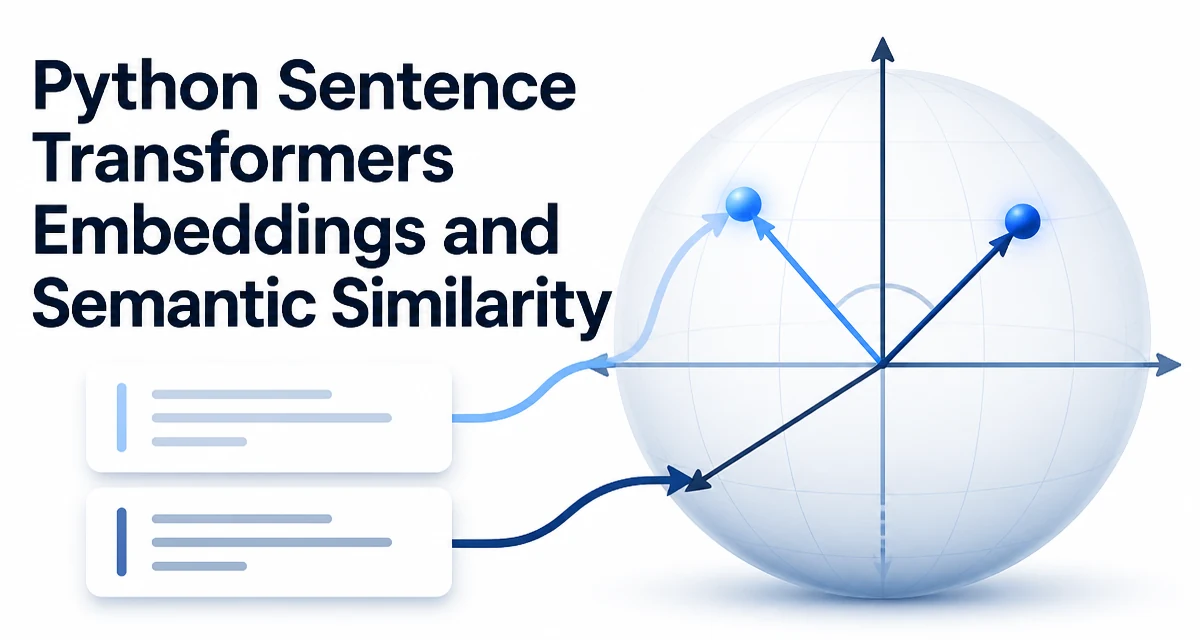
Computing semantic similarity between sentences is a common task in natural language processing. With Python, sentence transformers provide a straightforward way to generate dense embeddings that capture meaning, and then compare those embeddings using a distance metric. This article focuses on python sentence transformers embeddings and semantic similarity: how to generate embeddings, how to measure similarity, and what to consider when using them in real applications.
What Sentence Transformers Produce
Sentence transformers are a class of models that encode a sentence into a fixed-length vector, often called an embedding. Unlike bag-of-words or TF-IDF representations, these embeddings are trained to preserve semantic meaning. Two sentences with similar meaning will have vectors that are close in Euclidean space or have a high cosine similarity. This property makes them useful for tasks like duplicate detection, search, and clustering.
The sentence-transformers library in Python wraps these models behind a simple API. A typical workflow is: load a pre-trained model, call encode on a list of sentences, and then compare the resulting vectors.
Setting Up the Library
Install the library with pip:
pip install sentence-transformers
The library depends on PyTorch or TensorFlow, so the installation will pull in a deep learning backend. For CPU-only environments, the library works, but GPU acceleration can significantly speed up encoding when you process many sentences.
After installation, load a model:
from sentence_transformers import SentenceTransformer

model = SentenceTransformer('all-MiniLM-L6-v2')
The model identifier is a name from the Hugging Face hub. Different models trade off speed, size, and accuracy. The all-MiniLM-L6-v2 model is a common starting point because it is small and fast, but you should evaluate models against your specific data.
Generating Embeddings for Sentences
The encode method takes a sentence or a list of sentences and returns a numpy array (or a tensor, depending on the output format). Here is a minimal example:
sentences = [
    "The cat sits on the mat.",
    "A kitten is resting on the rug.",
    "The stock market opened higher today."
]

embeddings = model.encode(sentences)
print(embeddings.shape)  # (3, 384) for this model
Each row corresponds to one sentence, and the number of columns is the embedding dimension. For all-MiniLM-L6-v2, the dimension is 384. The embeddings are normalized by default when you use the normalize_embeddings=True parameter, which is often desirable for cosine similarity.
If you need to encode a single sentence, you can pass a string and get a one-dimensional vector:
embedding = model.encode("A single sentence.")
print(embedding.shape)  # (384,)
The model applies tokenization, runs the transformer, and pools the token embeddings into a single vector. The pooling strategy is defined by the model configuration; most sentence transformer models use mean pooling or CLS pooling. You do not need to handle tokenization manually.
Computing Semantic Similarity
Once you have embeddings, semantic similarity is typically measured with cosine similarity. The cosine similarity between two vectors is the dot product divided by the product of their magnitudes. If the embeddings are already normalized, the cosine similarity reduces to the dot product.
Using numpy:
import numpy as np

def cosine_similarity(a, b):
    return np.dot(a, b) / (np.linalg.norm(a) * np.linalg.norm(b))

sim = cosine_similarity(embeddings[0], embeddings[1])
print(sim)  # a float between -1 and 1
The value ranges from -1 to 1, with 1 meaning identical direction. For semantic similarity, values above 0.8 often indicate high similarity, but the threshold depends on your use case and the model.
If you used normalize_embeddings=True, the vectors have unit length, so you can compute cosine similarity with a simple dot product:
sim = np.dot(embeddings[0], embeddings[1])
For comparing many sentences, you can compute a similarity matrix using matrix multiplication:
similarity_matrix = np.dot(embeddings, embeddings.T)
This gives you pairwise similarities for all sentences in the batch.
Choosing the Right Model
The model you choose affects the quality of the embeddings and the runtime cost. There is no single best model; the right choice depends on your data, your latency requirements, and your accuracy needs.
| Model | Dimensions | Typical Use Case |
|---|---|---|
| all-MiniLM-L6-v2 | 384 | General purpose, fast, low memory |
| all-mpnet-base-v2 | 768 | Higher accuracy, slower |
| multi-qa-MiniLM-L6-cos-v1 | 384 | Question answering and retrieval |
These are examples from the Sentence Transformers library. The model name encodes the architecture and training objective. Models trained on paraphrase data are good for similarity, while models trained on question-answer pairs are better for retrieval.
When selecting a model, consider:
- The language of your text. Many models are English-only; multilingual models exist but may trade off per-language accuracy.
- The length of your sentences. Some models have a maximum token limit (usually 256 or 512). Longer texts need truncation or a different pooling strategy.
- The hardware you have. Larger models require more memory and are slower on CPU.
Performance and Batch Processing
Encoding sentences one by one is inefficient. The encode method supports batching, which processes multiple sentences at once and can use GPU acceleration.
batch_size = 32
embeddings = model.encode(sentences, batch_size=batch_size, show_progress_bar=True)
The library handles padding and attention masks internally. For very large corpora, you should process in batches to avoid loading all sentences into memory at once.
The runtime cost is dominated by the transformer forward pass. On CPU, a small model like all-MiniLM-L6-v2 can encode hundreds of sentences per second, but the exact number depends on your hardware and sentence length. On GPU, throughput is significantly higher.
If you need to encode the same sentences repeatedly, cache the embeddings. For example, store them in a vector database or a simple numpy file. Recomputing embeddings for every request is wasteful.
Handling Long Texts and Edge Cases
Sentence transformers are designed for sentences, not long documents. If you pass a paragraph or a full article, the model will truncate it to the maximum sequence length. This can lose important context.
For longer texts, you have several options:
- Split the text into sentences or chunks, encode each chunk, and then aggregate the embeddings (e.g., by averaging).
- Use a model that supports longer sequences, such as those based on Longformer or BigBird, but these are not part of the standard sentence-transformers library.
- Use a different approach, like document embeddings from a dedicated model.
Another edge case is empty strings. The encode method will return an embedding, but it may be meaningless. You should filter out empty or very short texts before encoding.
Production Considerations
When you move sentence embeddings into production, you need to think about model serving, versioning, and consistency.
- Model versioning: Always pin the exact model version. The model weights can be updated on the Hugging Face hub, and a different version may produce different embeddings. Use a specific revision or download the model to your own storage.
- Embedding storage: For large collections, use a vector database that supports efficient similarity search. For small datasets, a numpy array or a pickle file may suffice.
- API design: Expose an endpoint that accepts text and returns embeddings or similarity scores. Use batching on the server side to handle concurrent requests efficiently.
- Consistency: Ensure that the same preprocessing (e.g., lowercasing, punctuation removal) is applied at inference time as was used during any training or fine-tuning. Most sentence transformer models expect raw text without heavy preprocessing, but you should test.
The library also provides a SentenceTransformer class that can be used with ONNX or TensorRT for faster inference, but that adds deployment complexity. For most applications, the standard PyTorch path is sufficient.