Using Python sklearn Pipeline and ColumnTransformer
python sklearn pipeline and columntransformer: Learn how to combine sklearn Pipeline and ColumnTransformer into one reproducible preprocessing and modeling workflow wh...
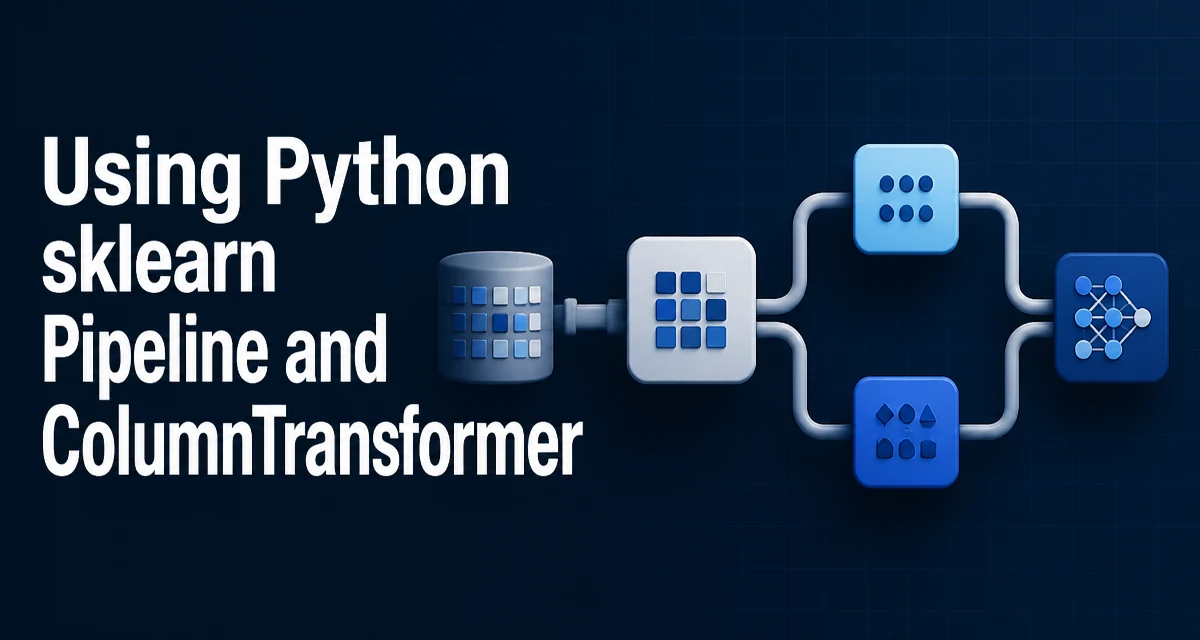
When preprocessing steps and the model live in separate functions, every experiment requires manually reapplying the same transforms to training and test data. The python sklearn pipeline and columntransformer combination solves this by binding preprocessing and prediction into a single estimator object that can be fit, evaluated, and deployed as one unit.
Why Pipeline and ColumnTransformer Belong Together
Pipeline chains a sequence of transformers with a final estimator. Each intermediate step implements fit and transform; the final step implements fit and predict. When you call pipeline.fit(X, y), each step receives the output of the previous step, and the fitted steps are retained for later predict calls.
ColumnTransformer solves a different problem. Real datasets usually mix numeric columns, categorical columns, and sometimes text. A single transformer cannot handle all of them with the same logic. ColumnTransformer lets you assign a different transformer to each column group and concatenates their outputs into a single feature matrix.
Used together, Pipeline handles the order of operations while ColumnTransformer handles the column-level routing. The result is a single object that accepts raw data and returns predictions.
Building a Minimal Pipeline
Start with a small example that scales numeric features and trains a logistic regression:
from sklearn.pipeline import Pipeline
from sklearn.preprocessing import StandardScaler
from sklearn.linear_model import LogisticRegression

pipe = Pipeline([
    ("scale", StandardScaler()),
    ("model", LogisticRegression()),
])

pipe.fit(X_train, y_train)
y_pred = pipe.predict(X_test)
When fit runs, StandardScaler learns the mean and standard deviation from X_train and transforms it. The transformed matrix is passed to LogisticRegression. When predict runs, the same fitted scaler transforms X_test before the model sees it. You never call StandardScaler.fit on the test set, which is the key to avoiding data leakage.
Routing Mixed Columns with ColumnTransformer
A typical preprocessing step for mixed data looks like this:
from sklearn.compose import ColumnTransformer
from sklearn.preprocessing import StandardScaler, OneHotEncoder

preprocessor = ColumnTransformer([
    ("num", StandardScaler(), ["age", "income"]),
    ("cat", OneHotEncoder(handle_unknown="ignore"), ["city", "occupation"]),
])
The third element of each tuple is the column selector. It can be a list of names, integer positions, or a boolean mask. When you fit the preprocessor, StandardScaler learns parameters only from the numeric columns and OneHotEncoder learns categories only from the categorical columns. Their outputs are concatenated horizontally.
One behavior to note: ColumnTransformer returns a NumPy array, not a DataFrame. Column names from the original input are lost. This matters if you later want feature names for inspection. You can recover them with get_feature_names_out() on the fitted transformer, which returns names like num__age and cat__city_New York.
Preventing Data Leakage with fit_transform
The reason Pipeline prevents leakage is the fit_transform contract. During fit, each transformer calls fit_transform on the data it receives. During transform or predict, it calls only transform using parameters already learned from the training set.
If you manually preprocess data, the common mistake is:
scaler = StandardScaler()
X_train_scaled = scaler.fit_transform(X_train)
X_test_scaled = scaler.fit_transform(X_test)  # wrong
Fitting the scaler on the test set leaks the test set's mean and standard deviation into the evaluation. In a Pipeline, the test set only passes through transform, so the parameters stay fixed.
The same principle applies inside ColumnTransformer. Each transformer is fitted only on the training portion of its assigned columns.
Composing Nested Pipelines
A single ColumnTransformer step is often not enough. For example, categorical columns may need imputation before one-hot encoding, and numeric columns may need imputation before scaling. You can nest a Pipeline inside each ColumnTransformer entry:
from sklearn.impute import SimpleImputer

preprocessor = ColumnTransformer([
    ("num", Pipeline([
        ("impute", SimpleImputer(strategy="median")),
        ("scale", StandardScaler()),
    ]), ["age", "income"]),
    ("cat", Pipeline([
        ("impute", SimpleImputer(strategy="most_frequent")),
        ("encode", OneHotEncoder(handle_unknown="ignore")),
    ]), ["city", "occupation"]),
])

pipe = Pipeline([
    ("preprocess", preprocessor),
    ("model", LogisticRegression()),
])
The outer Pipeline now contains a ColumnTransformer whose entries are themselves Pipeline objects. This is the standard pattern for production preprocessing: each column group has its own ordered sequence of transforms, and the whole graph is fitted and applied consistently.
Tuning Parameters with GridSearchCV
Because the pipeline is a single estimator, you can pass it directly to GridSearchCV. Parameters are addressed by the step name, a double underscore, and the inner parameter name:
from sklearn.model_selection import GridSearchCV

param_grid = {
    "preprocess__num__impute__strategy": ["mean", "median"],
    "model__C": [0.1, 1.0, 10.0],
}

grid = GridSearchCV(pipe, param_grid, cv=5)
grid.fit(X_train, y_train)
The key detail is that GridSearchCV fits the entire pipeline from scratch for every parameter combination. That means the imputer, scaler, encoder, and model are all re-fitted on each training fold. No test-fold data ever reaches a transformer, which is exactly what you want for honest cross-validation.
Common Failure Modes
The most frequent error when using ColumnTransformer is a column name mismatch. If you pass a list of column names, the input must be a DataFrame with those exact names. Passing a NumPy array with string column selectors raises an error. Use integer positions or boolean masks when working with arrays.
Another common issue is the remainder parameter. By default, columns not listed in any transformer are dropped. If you want to keep them unchanged, set remainder="passthrough". If you want to apply a default transformer to them, use remainder=StandardScaler().
A third issue is sparse output. OneHotEncoder produces a sparse matrix by default. When combined with dense numeric features, ColumnTransformer handles the conversion internally, but if you later inspect the output, be aware that the result may be sparse. On recent versions of scikit-learn, set sparse_output=False on the encoder if you need a dense array for debugging.
When to Split the Pipeline
A single pipeline is not always the right boundary. If different models share the same preprocessing, you can fit the preprocessor once and reuse it, but that reintroduces the risk of leakage if you are not careful. A cleaner approach is to keep the preprocessor inside the pipeline for every model variant and let cross-validation handle the refitting.
For deployment, the fitted pipeline is the artifact. You serialize it with joblib.dump and load it in the serving environment. The prediction code stays identical because the pipeline accepts raw input and returns predictions. If you later add a new column to the input schema, you must update the ColumnTransformer selectors and retrain; the pipeline does not adapt to schema changes automatically.