Python SQLAlchemy Connection Pooling
python sqlalchemy connection pooling: Learn how Python SQLAlchemy connection pooling works: pool types, size configuration, stale connection handling, and common failu...
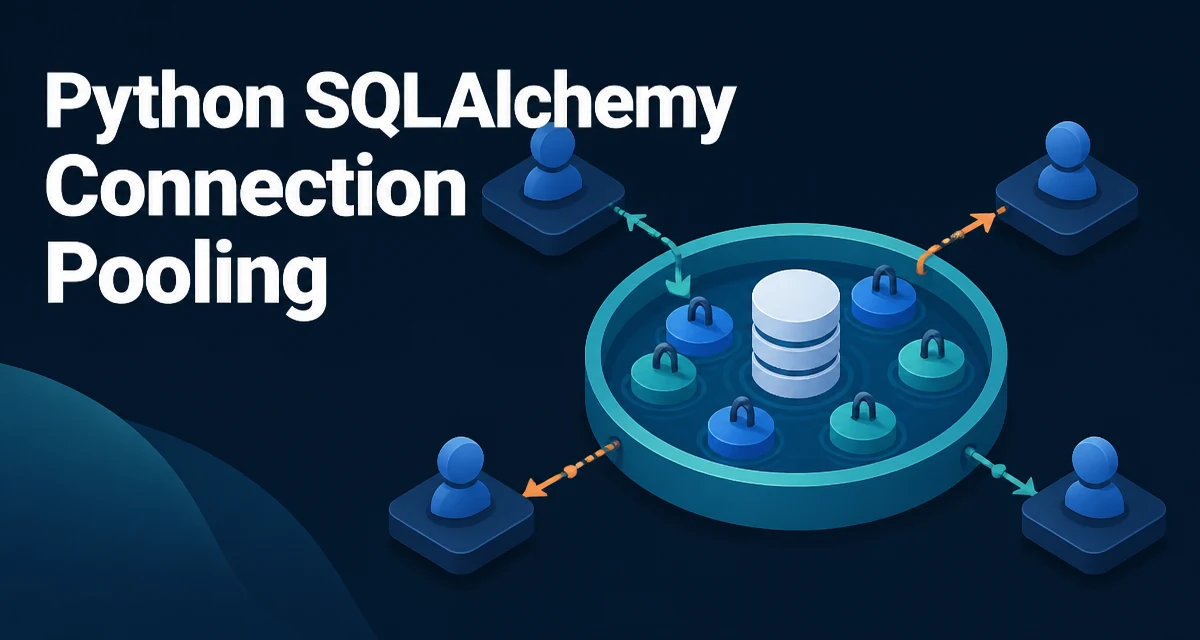
Python SQLAlchemy connection pooling is the layer that reuses database connections instead of opening a new one for every query. When you call engine.connect(), SQLAlchemy hands you a connection from the pool rather than establishing a fresh TCP connection to the database. That distinction matters because creating a new database connection involves network round trips, authentication, and server-side session setup — work that adds latency to every operation when repeated.
How SQLAlchemy Manages Connections by Default
When you create an engine with create_engine(), SQLAlchemy attaches a QueuePool by default for most database backends. The pool keeps a fixed number of connections alive and hands them out to callers on demand. When a connection is returned to the pool, it is reset and made available for the next caller.
from sqlalchemy import create_engine

engine = create_engine("postgresql://user:password@localhost/mydb")
With this engine, every engine.connect() call retrieves a connection from the pool. If all connections are in use, the caller waits up to pool_timeout seconds for one to become available. If no connection frees up within that window, SQLAlchemy raises TimeoutError.
The default QueuePool settings are conservative: pool_size=5, max_overflow=10, and pool_timeout=30. That means up to 15 connections can exist at once — 5 steady-state plus 10 temporary overflow — and a caller will wait at most 30 seconds before failing.
Choosing a Pool Type for Your Application
QueuePool is not the only option. SQLAlchemy provides several pool classes, each suited to a different runtime model.
| Pool type | Behavior | Best fit |
|---|---|---|
QueuePool | Fixed-size queue with overflow | Threaded applications using a client-server database such as PostgreSQL or MySQL |
NullPool | No pooling; creates and closes a connection per checkout | Short-lived scripts or test suites where connection reuse adds no value |
SingletonThreadPool | One connection per thread | SQLite or other single-connection-per-thread databases |
StaticPool | Single connection shared by all callers | In-memory SQLite databases |
AsyncAdaptedQueuePool | Async-aware queue pool | SQLAlchemy async engines using create_async_engine() |
You select a pool class explicitly with the poolclass argument:
from sqlalchemy import create_engine
from sqlalchemy.pool import NullPool

engine = create_engine("sqlite:///app.db", poolclass=NullPool)
For an in-memory SQLite database, the default pooling behavior is wrong because each connection gets its own private in-memory database. StaticPool keeps a single connection open so all callers share the same in-memory database:
from sqlalchemy import create_engine
from sqlalchemy.pool import StaticPool

engine = create_engine(
    "sqlite://",
    connect_args={"check_same_thread": False},
    poolclass=StaticPool,
)
The default QueuePool is the right choice for most server-side applications. The other pool types exist for specific runtime constraints, not as general-purpose alternatives.
Configuring Pool Size and Overflow
The three parameters that control pool capacity are pool_size, max_overflow, and pool_timeout.
engine = create_engine(
    "postgresql://user:password@localhost/mydb",
    pool_size=10,
    max_overflow=5,
    pool_timeout=30,
)
pool_size is the number of connections kept open in the pool when the application is idle. max_overflow is the number of additional connections allowed beyond pool_size when demand spikes. The pool closes overflow connections as they are returned, bringing the pool back to pool_size. pool_timeout is how many seconds a caller waits for a connection before TimeoutError is raised.
The total possible connections is pool_size + max_overflow. Set these values based on your database server's connection limit and your application's concurrency. A PostgreSQL instance configured for 100 connections cannot serve 50 application workers each using a pool of 10 without exhausting the server.
Handling Stale Connections with pool_recycle and pool_pre_ping
Database connections can go stale. A PostgreSQL server restart, a network firewall that drops idle connections, or a database-side idle timeout all leave pooled connections in a broken state. The next query on such a connection fails with an error indicating that the server closed the connection unexpectedly.
Two settings address this.
pool_recycle tells SQLAlchemy to discard connections older than a given number of seconds. The pool replaces them with fresh connections on the next checkout.
pool_pre_ping issues a lightweight SELECT 1 against a connection before handing it out. If the check fails, SQLAlchemy discards the connection and tries to create a new one.
engine = create_engine(
    "postgresql://user:password@localhost/mydb",
    pool_recycle=1800,
    pool_pre_ping=True,
)
pool_pre_ping adds one round trip per checkout, which is negligible compared to the cost of a failed query. It is the most reliable defense against stale connections. pool_recycle is a good complement when your database or network infrastructure imposes an idle timeout shorter than your application's idle periods.
Pooling in Web Applications
Web frameworks such as Flask and FastAPI typically run multiple threads or processes. SQLAlchemy's QueuePool is thread-safe, so multiple threads can check out and return connections concurrently.
A common misunderstanding is that pool_size is a global limit. It is not. Each engine instance has its own pool. If you run a WSGI server with four worker processes, and each worker creates its own engine, the database sees up to four times the configured pool_size in connections.
The same applies to async applications. create_async_engine() uses an async-aware pool, but the connection limit is still per-engine. An async application with many concurrent tasks can exhaust the pool if the task count exceeds pool_size + max_overflow.
For long-running request handlers, hold a connection for the shortest possible time. Check out a connection, run the query, and return it in a with block:
with engine.connect() as conn:
    result = conn.execute(text("SELECT * FROM users WHERE id = :id"), {"id": 42})
The with block guarantees the connection is returned to the pool even if the query raises an exception.
Diagnosing Common Pooling Failures
The most common pooling failure is a timeout error. SQLAlchemy raises TimeoutError when a caller cannot obtain a connection within pool_timeout seconds. The message states that the pool limit was reached and the connection timed out. This means all possible connections were checked out and none was returned within the timeout window. The usual causes are:
- A query that runs longer than expected, holding connections open.
- A code path that checks out a connection but never returns it.
- A connection leak where an exception interrupts the code before the connection is closed.
You can inspect the current state of a pool at runtime:
print(engine.pool.status())
The output shows how many connections are checked out, how many are idle, and how many overflow connections are currently open. This is the first diagnostic step when investigating connection exhaustion.
A second common failure is a stale connection after a database restart. The error appears on the first query after the restart, and subsequent queries may succeed because SQLAlchemy reconnects. pool_pre_ping prevents this class of failure entirely.
Pool Reset and Transaction Boundaries
When a connection is returned to the pool, SQLAlchemy resets it. The default reset_on_return behavior is "rollback", which rolls back any open transaction before the connection is reused. This prevents one caller's uncommitted transaction from leaking into another caller's session.
You can change this behavior:
engine = create_engine(
    "postgresql://user:password@localhost/mydb",
    pool_reset_on_return="commit",
)
Options are "rollback" (default), "commit", and None. Setting it to None disables reset entirely, which is almost never appropriate because it leaves transaction state on the connection. Use the default unless you have a specific reason to change it.
The reset behavior matters most in long-running applications. If a connection is returned with an open transaction and the reset is skipped, the next caller inherits locks, uncommitted changes, and session state from the previous caller. That produces bugs that are extremely hard to trace. Keeping the default "rollback" avoids the entire class of problems.