Python SQLAlchemy One-to-Many, One-to-One, and Many-to-Many
python sqlalchemy one to many one to one and many to many: Learn to define one-to-many, one-to-one, and many-to-many relationships in SQLAlchemy ORM with practical exa...
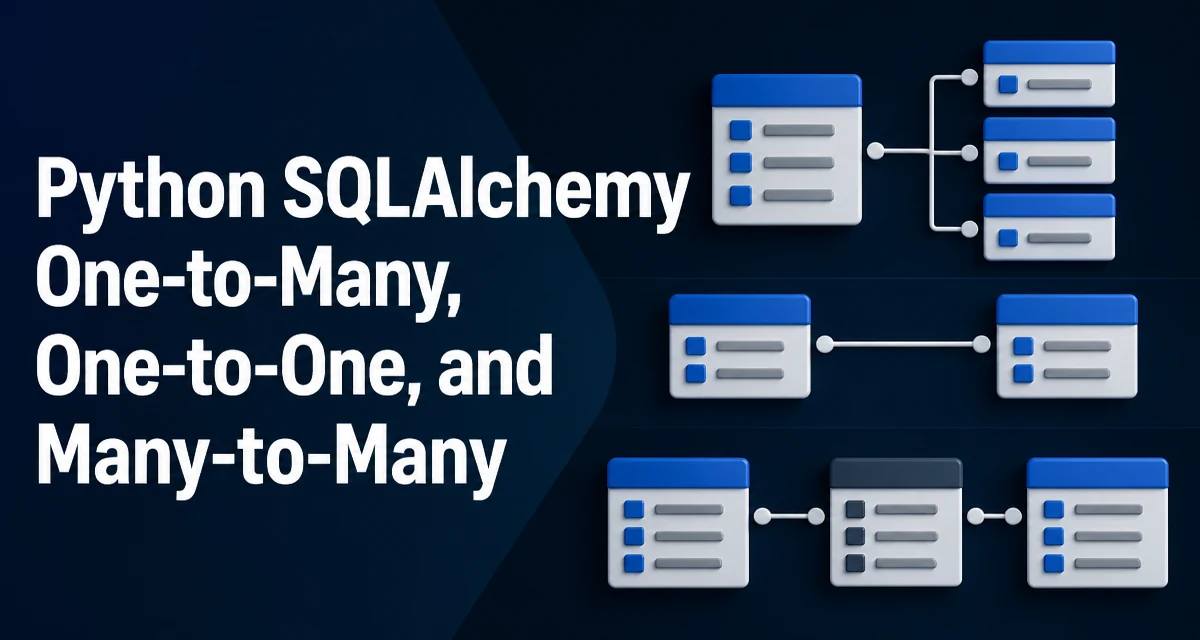
python sqlalchemy one to many one to one and many to many requires a clear understanding of the core syntax, runtime behavior, and practical implementation patterns demonstrated in the examples below.
When you model relational data in SQLAlchemy, the relationship types you choose determine how objects are linked, queried, and cascaded. This article covers the three core relationship patterns in SQLAlchemy ORM: one-to-many, one-to-one, and many-to-many. You will see how to declare them with modern SQLAlchemy 2.0 style, how they behave at runtime, and where each pattern fits in a real application.
Understanding Relationship Types in SQLAlchemy ORM
SQLAlchemy ORM translates Python class attributes into database columns and relationships. The three relationship types correspond to how rows in one table reference rows in another:
- One-to-many: A single parent row can be associated with multiple child rows. This is the most common relationship, often used for hierarchies like an author with many books.
- One-to-one: A parent row is associated with at most one child row. This is a specialization of one-to-many where the foreign key is constrained to be unique, or where the relationship is explicitly limited to a single child.
- Many-to-many: Rows in both tables can reference each other. This requires an association table that stores pairs of foreign keys.
SQLAlchemy provides the relationship() function to define these in declarative models. The back_populates argument keeps two sides of a relationship in sync, and secondary introduces an association table for many-to-many.
One-to-Many: Parent and Children
Consider an Author who has multiple Book records. The database schema uses a foreign key on the books table pointing to authors.id. In SQLAlchemy, you define both the foreign key column and a relationship() on the parent model.
from sqlalchemy import ForeignKey, String
from sqlalchemy.orm import DeclarativeBase, Mapped, mapped_column, relationship

class Base(DeclarativeBase):
    pass

class Author(Base):
    __tablename__ = "authors"
    id: Mapped[int] = mapped_column(primary_key=True)
    name: Mapped[str] = mapped_column(String(100))
    books: Mapped[list["Book"]] = relationship(back_populates="author")

class Book(Base):
    __tablename__ = "books"
    id: Mapped[int] = mapped_column(primary_key=True)
    title: Mapped[str] = mapped_column(String(200))
    author_id: Mapped[int] = mapped_column(ForeignKey("authors.id"))
    author: Mapped["Author"] = relationship(back_populates="books")
The books attribute on Author is a list of Book instances. The author attribute on Book points back to the parent. back_populates ensures that assigning book.author = author automatically updates author.books, and vice versa. Without it, the two sides become inconsistent.
When you query an author, SQLAlchemy lazily loads the related books by default. That means accessing author.books issues a separate SELECT unless you explicitly configure eager loading.
One-to-One: Restricting to a Single Child
A one-to-one relationship is a one-to-many with a hard limit of one child. The database enforces this with a unique constraint on the foreign key column. In SQLAlchemy, you set uselist=False on the relationship() to indicate that the attribute holds a single object instead of a list.
class User(Base):
    __tablename__ = "users"
    id: Mapped[int] = mapped_column(primary_key=True)
    username: Mapped[str] = mapped_column(String(50), unique=True)
    profile: Mapped["Profile"] = relationship(back_populates="user", uselist=False)

class Profile(Base):
    __tablename__ = "profiles"
    id: Mapped[int] = mapped_column(primary_key=True)
    user_id: Mapped[int] = mapped_column(ForeignKey("users.id"), unique=True)
    bio: Mapped[str] = mapped_column(String(500))
    user: Mapped["User"] = relationship(back_populates="profile")
The unique=True on user_id prevents two profiles from referencing the same user. The uselist=False on the User.profile relationship makes user.profile return a Profile object or None, rather than a list. The reverse side, Profile.user, is naturally single because a profile belongs to exactly one user.
One-to-one relationships are useful when you want to split a large table into smaller logical pieces, such as separating frequently accessed columns from rarely accessed ones, or when you need to attach optional data that may not exist for every parent row.
Many-to-Many: Association Table
Many-to-many relationships require an association table that stores pairs of foreign keys. For example, a Student can enroll in many Course objects, and each course can have many students. SQLAlchemy lets you define the association table explicitly and pass it to relationship() via the secondary parameter.
from sqlalchemy import Table, Column, ForeignKey, Integer

student_course = Table(
    "student_course",
    Base.metadata,
    Column("student_id", ForeignKey("students.id"), primary_key=True),
    Column("course_id", ForeignKey("courses.id"), primary_key=True),
)

class Student(Base):
    __tablename__ = "students"
    id: Mapped[int] = mapped_column(primary_key=True)
    name: Mapped[str] = mapped_column(String(100))
    courses: Mapped[list["Course"]] = relationship(secondary=student_course, back_populates="students")

class Course(Base):
    __tablename__ = "courses"
    id: Mapped[int] = mapped_column(primary_key=True)
    title: Mapped[str] = mapped_column(String(200))
    students: Mapped[list["Student"]] = relationship(secondary=student_course, back_populates="courses")
The association table student_course has no mapped class; it exists only to link the two tables. When you add a course to student.courses, SQLAlchemy inserts a row into the association table automatically. The secondary argument works on both sides, and back_populates keeps the two lists consistent.
You can also model the association table as a full class if you need to store extra data about the relationship, such as enrollment date or grade. In that case you use two one-to-many relationships pointing to the association class, which is a more advanced pattern.
Choosing the Right Relationship Type
The choice between these three types depends on the cardinality of your domain data. The following table summarizes the decision criteria:
| Relationship Type | Database Constraint | SQLAlchemy Configuration | Typical Use Case |
|---|---|---|---|
| One-to-many | Foreign key on child table | relationship() without uselist | Parent with multiple children, e.g., author to books |
| One-to-one | Foreign key with unique constraint | relationship(uselist=False) | Optional or split data, e.g., user to profile |
| Many-to-many | Association table with composite primary key | relationship(secondary=...) | Many-to-many, e.g., students to courses |
Use one-to-many when a child row belongs to exactly one parent and the parent can have zero or more children. Use one-to-one when the child is optional or when you want to enforce a single child per parent. Use many-to-many when both sides can have multiple related rows and no side owns the relationship exclusively.
Lazy Loading and Query Behavior
By default, relationship() uses lazy loading with a select strategy. Accessing a relationship attribute triggers a SELECT statement to fetch the related rows. This is convenient for simple cases, but it can lead to the N+1 query problem when you iterate over a collection and access a relationship for each item.
To avoid that, you can configure eager loading at query time using selectinload or joinedload from sqlalchemy.orm. For example:
from sqlalchemy.orm import selectinload

stmt = select(Author).options(selectinload(Author.books))
authors = session.execute(stmt).scalars().all()
selectinload issues a second query that loads all related books for the authors in one batch. joinedload uses a SQL JOIN instead. The choice affects the generated SQL and the shape of the result. selectinload is often preferred for collections because it avoids duplicating parent rows in the result set.
You can also set the default loading strategy on the relationship() itself using the lazy parameter, but doing so globally can be too aggressive for some queries. It is usually better to control loading per query.
Cascades and Deletion Behavior
When you delete a parent object, the behavior for its children depends on the cascade configuration on the relationship(). The default cascade is "save-update, merge", which means deleting a parent does not automatically delete its children. If you want deletion to propagate, you must set cascade="all, delete-orphan" on the one-to-many side.
class Author(Base):
    __tablename__ = "authors"
    id: Mapped[int] = mapped_column(primary_key=True)
    name: Mapped[str] = mapped_column(String(100))
    books: Mapped[list["Book"]] = relationship(back_populates="author", cascade="all, delete-orphan")
With this configuration, deleting an Author also deletes all its Book rows. The delete-orphan part also deletes any book that is removed from author.books and no longer references another author. For many-to-many relationships, cascade does not delete rows from the association table automatically when you delete a parent; SQLAlchemy removes the association rows for that parent, but the related objects on the other side remain.
Cascade settings are a common source of unexpected data loss. Always test deletion behavior in a development environment before applying it to production data.
Common Pitfalls and Configuration Mistakes
Several mistakes appear frequently when defining relationships in SQLAlchemy:
- Forgetting
back_populates: Without it, the two sides of a relationship are not synchronized. Assigningbook.author = authordoes not updateauthor.books, and you may see stale data or missing entries. - Mismatched foreign key types: The column types of the foreign key and the referenced primary key must match. For example, using
Integeron one side andBigIntegeron the other can cause errors at the database level. - Missing
uselist=Falseon one-to-one: If you omituselist=False, the relationship attribute returns a list even though the database allows only one child. This can break code that expects a single object. - Using the wrong association table: For many-to-many, the
secondarytable must have foreign keys to both tables. If you accidentally use a table that lacks one of the foreign keys, SQLAlchemy will raise an error when you try to use the relationship. - Ignoring lazy loading performance: Relying on default lazy loading in loops can cause severe performance degradation. Always consider eager loading options for queries that touch many related objects.
Another subtle issue arises when you define a one-to-one relationship but forget to add a unique constraint on the foreign key. The ORM will still work with uselist=False, but the database will allow duplicate child rows, violating the intended cardinality. The unique constraint is the real guarantee; uselist=False only affects the Python-side API.
When you use an association table for many-to-many, be careful with the table name and column order. SQLAlchemy uses the secondary argument to generate joins, and any mismatch in column names will cause runtime errors. Also, if you later decide to add extra columns to the association table, you must convert it to a mapped class, because secondary tables cannot hold additional attributes beyond the foreign keys.
Finally, remember that relationship configuration is not just about syntax. The choices you make for cascade, lazy loading, and uniqueness constraints directly affect data integrity and application performance. Review each relationship in the context of your actual query patterns and deletion workflows.