Python strip vs lstrip vs rstrip: When to Use Each
python strip vs lstrip vs rstrip: Understand the differences between strip, lstrip, and rstrip in Python, including default whitespace handling, character removal, and...
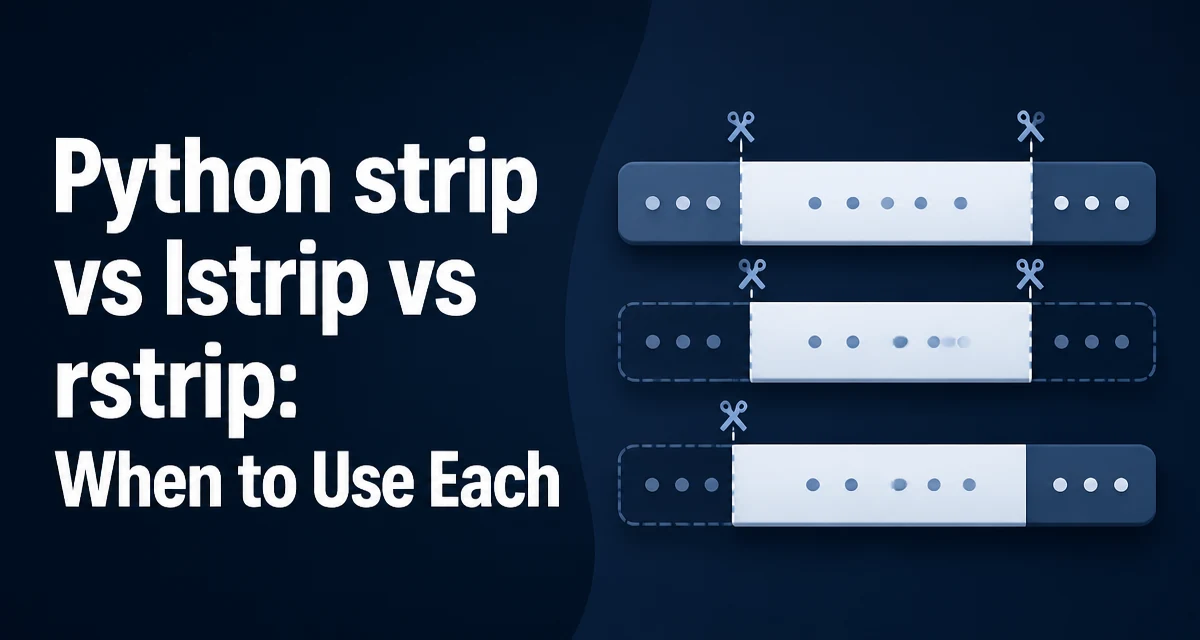
When working with user input, log files, or any text that arrives from an external source, Python's strip(), lstrip(), and rstrip() are the standard tools for removing unwanted characters from string boundaries. The python strip vs lstrip vs rstrip decision comes down to which side of the string you need to clean and whether you are removing whitespace or a specific set of characters.
What Each Method Does
str.strip() returns a copy of the string with leading and trailing characters removed. str.lstrip() removes only leading characters (from the left), and str.rstrip() removes only trailing characters (from the right). Without arguments, all three methods strip whitespace characters, which includes spaces, tabs, newlines, carriage returns, and other Unicode whitespace characters.
text = "  hello world  "
print(text.strip())   # "hello world"
print(text.lstrip())  # "hello world  "
print(text.rstrip())  # "  hello world"
The methods do not modify the original string. Strings are immutable in Python, so each call returns a new string object. If there is nothing to remove, the original string object is returned unchanged, which is an implementation detail that can save memory in some cases.
Default Whitespace Behavior
The default argument for all three methods is None, meaning they strip whitespace as defined by str.isspace(). This includes space, tab (\t), newline (\n), carriage return (\r), vertical tab (\v), form feed (\f), and any Unicode character that is considered whitespace. This behavior is consistent across Python 3 versions, but it is worth noting that Unicode whitespace handling can be broader than many developers expect.
line = "\t\n  data  \r\n"
print(line.strip())   # "data"
print(line.lstrip())  # "data  \r\n"
print(line.rstrip())  # "\t\n  data"
If you need to strip only spaces, not tabs or newlines, you must pass an explicit argument, as shown below.
Removing Specific Characters
All three methods accept an optional chars argument. When provided, the methods remove any character in the given string from the appropriate side. The argument is not a prefix or suffix to match; it is a set of characters. This is a common point of confusion.
url = "https://example.com/"
print(url.rstrip('/'))   # "https://example.com"
print(url.lstrip('htps:'))  # "//example.com/" (removes any of h, t, p, s, :)
In the second example, lstrip removes any of the characters h, t, p, s, or : from the left. Because the original string starts with h, then t, then t, then p, then s, then :, all are removed, leaving //example.com/. To remove a specific prefix, use str.removeprefix() (Python 3.9+) or a conditional check, not lstrip.
Practical Examples for Data Cleaning
A common task is cleaning CSV fields that may contain surrounding quotes or spaces. strip is useful for removing both sides, while lstrip and rstrip are useful when only one side is known to be problematic.
csv_field = '"  product name  "'
cleaned = csv_field.strip('"').strip()
print(cleaned)  # "product name"
When parsing indentation-sensitive text, such as YAML-like structures, lstrip can remove leading spaces without touching trailing whitespace that might be significant.
line = "    key: value    "
print(line.lstrip())  # "key: value    "
print(line.rstrip())  # "    key: value"
For log files that use a consistent delimiter, rstrip('\n') is often used to remove a trailing newline without affecting other whitespace that might be part of the message.
Edge Cases and Common Mistakes
The chars argument is a set, not a substring. Passing 'abc' will remove any of 'a', 'b', or 'c' from the edges, not the exact substring 'abc'. This leads to surprising results when developers expect prefix or suffix removal.
filename = "report_final.txt"
print(filename.rstrip('.txt'))  # "report_final"? Actually: removes any of '.', 't', 'x' from right
This will strip trailing dots, t's, and x's, which can destroy data. Use endswith and slicing or removesuffix() for exact suffix removal.
Another edge case is empty strings. Calling strip() on an empty string returns an empty string without error. Similarly, if the string consists entirely of whitespace, strip() returns an empty string.
Performance and Memory Considerations
All three methods are implemented in C and iterate over the string from the relevant end until a character not in the removal set is found. They do not scan the entire string when only leading or trailing characters need to be checked. The time complexity is O(n) in the worst case, but in practice it is proportional to the number of characters that are actually removed. For typical strings, the overhead is negligible.
Memory usage is minimal because the methods return a new string only when a change is needed. If no characters are removed, the original string object is returned, avoiding an extra allocation. This is an implementation detail of CPython and is not guaranteed by the language specification, but it is consistent across common Python distributions.
When processing many strings in a loop, using strip() directly is faster than manually trimming with slicing or regular expressions. Regular expressions are more flexible but add compilation and matching overhead. For simple boundary removal, the built-in methods are the right choice.
Choosing the Right Method for Your Use Case
Use strip() when you need to clean both ends of a string and the content inside is the only part you care about. This is common for user input, configuration values, and data extracted from external sources.
Use lstrip() when the left side is known to contain unwanted characters but the right side may have meaningful whitespace or formatting. For example, when preserving indentation at the end of a line or when the trailing characters are significant.
Use rstrip() when you need to remove trailing newlines, carriage returns, or specific end-of-line characters. This is common when reading lines from a file or processing network messages where the line terminator is not part of the data.
When you need to remove a specific prefix or suffix rather than a set of characters, use str.removeprefix() and str.removesuffix() (Python 3.9+). These methods check for an exact match and return the original string if the prefix or suffix is not present.
path = "/usr/bin/python3"
print(path.removeprefix("/usr"))  # "/bin/python3"
print(path.removesuffix("python3"))  # "/usr/bin/"
If you are working with bytes objects, the same methods exist on bytes and bytearray and behave analogously, but the chars argument must be a bytes object, not a string.
Handling Newlines and Mixed Whitespace
A frequent requirement is to remove only newline characters, leaving spaces and tabs intact. Passing '\n' to rstrip() accomplishes this, but be aware that it will also remove multiple consecutive newlines and any carriage return characters that are part of the set if you include them.
lines = ["line1\n", "line2\r\n", "line3\n\n"]
cleaned = [line.rstrip('\r\n') for line in lines]
print(cleaned)  # ['line1', 'line2', 'line3']
This pattern is common when reading files in text mode, where Python's universal newline translation converts \r\n to \n by default. In binary mode, you must handle both \r and \n explicitly.
For multiline strings where you want to remove leading whitespace from each line, lstrip() on each line is more efficient than a regular expression that operates on the whole string.
raw = """
    first line
        indented
    """
cleaned = "\n".join(line.lstrip() for line in raw.splitlines())
This approach preserves the relative indentation between lines while removing the common leading whitespace. If you need to remove a common indentation amount, consider textwrap.dedent() instead, which is designed for that purpose.
The choice between strip, lstrip, and rstrip is usually straightforward once you know which side of the string contains the characters you want to remove. When in doubt, test the behavior with a small sample that includes edge cases such as empty strings, strings with only whitespace, and strings that do not contain the characters you are removing.