Python ThreadPoolExecutor vs ProcessPoolExecutor: How to Choose
python threadpoolexecutor vs processpoolexecutor: Learn when to use ThreadPoolExecutor vs ProcessPoolExecutor in Python. Understand GIL, I/O-bound vs CPU-bound tasks,...
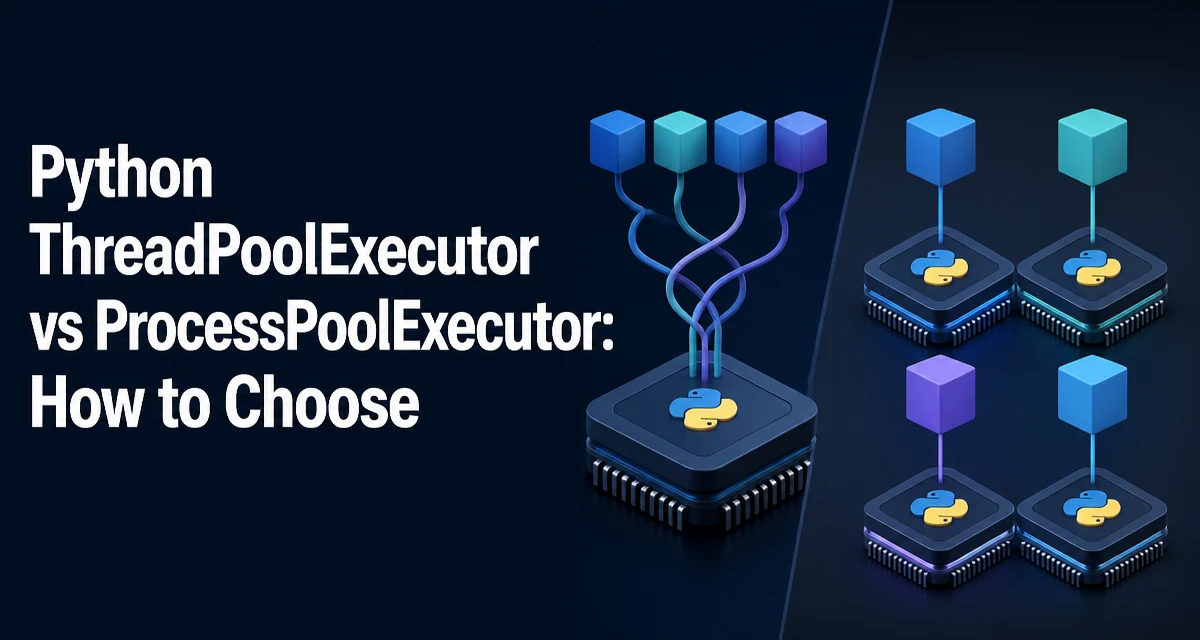
python threadpoolexecutor vs processpoolexecutor requires a clear understanding of the core syntax, runtime behavior, and practical implementation patterns demonstrated in the examples below.
The Core Difference: Threads vs Processes in Python
When you need to run multiple tasks concurrently in Python, the concurrent.futures module gives you two ready-made executors: ThreadPoolExecutor and ProcessPoolExecutor. Both expose the same interface—submit, map, shutdown—but they execute work very differently. The choice between them comes down to how Python's Global Interpreter Lock (GIL) interacts with your workload.
Threads run in the same process and share memory. Because of the GIL, only one thread can execute Python bytecode at a time. That means threads are not useful for CPU-bound tasks that spend most of their time executing Python code. However, when a thread blocks on I/O—such as a network request, a file read, or a database query—the GIL is released, allowing another thread to run. This makes threads ideal for I/O-bound workloads.
Processes, on the other hand, each have their own Python interpreter and memory space. They are not limited by the GIL, so they can execute Python bytecode in parallel on multiple CPU cores. That makes ProcessPoolExecutor the right choice for CPU-bound tasks that need to run at full speed across cores. The cost is higher overhead: each process consumes more memory, and data must be serialized and sent between processes.
Using ThreadPoolExecutor for I/O-Bound Work
ThreadPoolExecutor is straightforward to use. You create an executor, submit tasks, and collect results. The classic use case is making many network requests or reading many files concurrently.
from concurrent.futures import ThreadPoolExecutor
import requests

def fetch_url(url):
    response = requests.get(url)
    return response.status_code

urls = [
    "https://example.com",
    "https://python.org",
    "https://github.com",
]

with ThreadPoolExecutor(max_workers=4) as executor:
    status_codes = list(executor.map(fetch_url, urls))

print(status_codes)
Here, executor.map applies fetch_url to each URL. Because requests.get blocks on network I/O, the GIL is released while waiting for the response, so other threads can proceed. The result is that many requests happen concurrently without the overhead of process creation.
ThreadPoolExecutor is also useful for tasks that are not purely CPU-bound but involve a mix of I/O and light computation. The key is that the workload must spend a significant portion of its time waiting on external resources.
Using ProcessPoolExecutor for CPU-Bound Work
When your task is CPU-bound—meaning it spends most of its time executing Python code, like numerical calculations, image processing, or data transformation—threads will not give you a speedup because of the GIL. ProcessPoolExecutor is the appropriate tool.
from concurrent.futures import ProcessPoolExecutor

def compute_square(n):
    # Simulate a CPU-heavy operation
    total = 0
    for i in range(n):
        total += i * i
    return total

numbers = [10_000_000, 20_000_000, 30_000_000]

with ProcessPoolExecutor(max_workers=2) as executor:
    results = list(executor.map(compute_square, numbers))

print(results)
Each task runs in a separate process, so Python can execute them in parallel on different cores. The max_workers parameter controls how many processes are created. You should generally set it to the number of CPU cores available, but the exact value depends on your machine and the nature of the task.
The cost is that every argument and return value must be pickled and sent through inter-process communication. For large objects, this serialization overhead can become significant. Keep the data passed to and from the worker functions as small as possible.
How to Choose Between the Two Executors
The decision is primarily driven by whether your task is I/O-bound or CPU-bound. The following table summarizes the key differences:
| Criterion | ThreadPoolExecutor | ProcessPoolExecutor |
|---|---|---|
| Best for | I/O-bound tasks | CPU-bound tasks |
| GIL impact | Limited by GIL for CPU work | Not affected by GIL |
| Memory | Shares memory with main process | Separate memory per process |
| Overhead | Low | High (process creation, pickling) |
| Data sharing | Direct via shared memory | Requires serialization |
| Startup time | Fast | Slower |
| Use case | Web scraping, file I/O, API calls | Data processing, computation, ML training |
Use ThreadPoolExecutor when your tasks spend most of their time waiting for I/O. Use ProcessPoolExecutor when your tasks are CPU-intensive and you need to use multiple cores. If you are unsure, profile your workload. A simple test: run the task with both executors and measure the wall time. The one that finishes faster is the better fit for your specific workload.
There is also a hybrid case: tasks that are both CPU- and I/O-bound. In that situation, you might use a ThreadPoolExecutor for the I/O portions and a ProcessPoolExecutor for the CPU-heavy parts, but that adds complexity. Often, a simpler approach is to use ProcessPoolExecutor for the whole task if the CPU portion is the bottleneck, or ThreadPoolExecutor if the I/O portion dominates.
Performance and Overhead Considerations
The performance difference between the two executors is not just about the GIL. Process creation is expensive. Each process requires its own Python interpreter, memory allocation, and startup time. If you are submitting many short-lived tasks, the overhead of creating and destroying processes can outweigh the benefit of parallel execution. In contrast, threads are lightweight and can be created quickly.
Memory usage is another factor. Each process has its own address space, so a large object passed to a worker function is copied and pickled, doubling memory usage temporarily. Threads share memory, so they avoid this copy, but they also require careful synchronization if multiple threads modify shared state.
For CPU-bound tasks, the speedup from ProcessPoolExecutor is limited by the number of physical cores. If you have four cores and you create eight processes, you will not get a linear speedup because the CPU is oversubscribed. The GIL is not the only bottleneck; the operating system's scheduler and memory bandwidth also play a role.
In practice, you should benchmark your specific workload. The concurrent.futures module makes it easy to switch between the two executors because they share the same interface. Write a function that accepts an executor and run it with both to collect timing data.
Data Sharing and Communication Differences
Threads share the same memory space, so they can read and write global variables directly. However, this shared access can lead to race conditions. You must use locks or other synchronization primitives from the threading module to protect shared data. This adds complexity and can introduce bugs.
Processes do not share memory. Data is passed between the main process and worker processes via pickling. This means:
- Arguments are serialized and sent to the worker.
- Return values are serialized and sent back.
- Global variables are not shared; each process has its own copy.
If you need to share state between processes, you can use multiprocessing.Manager or shared memory objects, but these are more complex and slower than simple thread communication. For most executor use cases, it is best to design your tasks to be independent and avoid shared state altogether.
Error Handling and Debugging Differences
Exceptions in a ThreadPoolExecutor are raised in the worker thread and re-raised when you retrieve the result. For example, if fetch_url raises an exception, executor.map will raise it when you iterate over the results. The traceback points to the original line in the worker function.
With ProcessPoolExecutor, exceptions are pickled and sent back to the main process. The traceback is preserved, but the exception object itself must be picklable. Most standard exceptions are, but custom exceptions that hold unpicklable attributes can cause a PicklingError. This is a common pitfall.
Debugging code that runs in a separate process is harder because you cannot attach a debugger to the worker process as easily. You often need to add logging or write results to a file to inspect what happened. Threads, on the other hand, share the same process, so a debugger can inspect all threads, though breakpoints can be tricky with concurrent execution.
Practical Example: Comparing Both Executors on a CPU-Bound Task
To see the difference in practice, you can run the same CPU-bound function with both executors and measure the time. The following script does that, but the exact numbers depend on your hardware and Python version.
import time
from concurrent.futures import ThreadPoolExecutor, ProcessPoolExecutor

def heavy_computation(n):
    total = 0
    for i in range(n):
        total += i ** 2
    return total

def run_with(executor_class):
    numbers = [5_000_000, 5_000_000, 5_000_000, 5_000_000]
    start = time.perf_counter()
    with executor_class(max_workers=4) as executor:
        list(executor.map(heavy_computation, numbers))
    return time.perf_counter() - start

thread_time = run_with(ThreadPoolExecutor)
process_time = run_with(ProcessPoolExecutor)

print(f"ThreadPoolExecutor: {thread_time:.2f} seconds")
print(f"ProcessPoolExecutor: {process_time:.2f} seconds")
On a multi-core machine, ProcessPoolExecutor will typically complete the task faster because it uses multiple cores, while ThreadPoolExecutor is limited by the GIL. However, the exact speedup depends on the number of cores and the size of the task. For small tasks, the overhead of process creation might make ThreadPoolExecutor faster.
This example illustrates the core principle: use ProcessPoolExecutor when you need to parallelize CPU-bound Python code, and ThreadPoolExecutor when your tasks are I/O-bound. The concurrent.futures interface makes it easy to switch between them, so you can always benchmark both for your specific workload.