Python Unpacking Operators: * and ** Explained
python unpacking operators: Learn how Python's * and ** operators unpack sequences and dictionaries in assignments and function calls, with practical examples and comm...
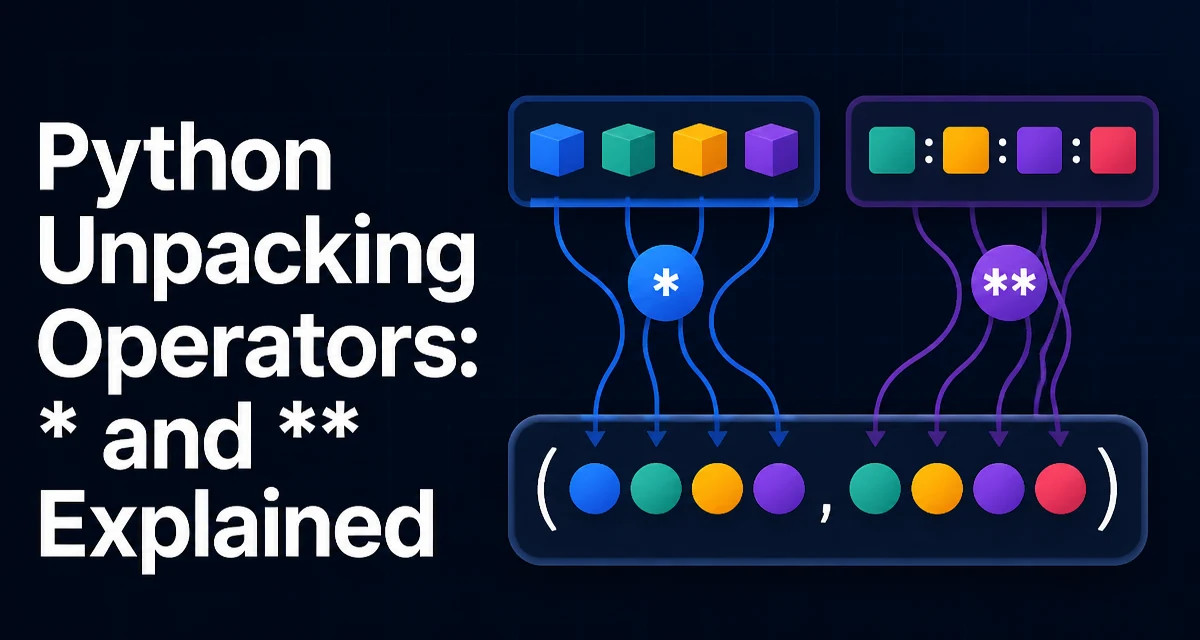
python unpacking operators requires a clear understanding of the core syntax, runtime behavior, and practical implementation patterns demonstrated in the examples below.
Python's unpacking operators, * and **, let you expand iterables and mappings in assignments, function calls, and even inside collection literals. They are used everywhere in modern Python code, from simple variable swaps to building complex function signatures. Understanding how these operators behave is essential for writing clean, idiomatic code and for debugging code that relies on them.
The Single Asterisk for Sequences
The * operator unpacks any iterable—lists, tuples, strings, generators, and custom iterables—into its individual elements. The most common use is in assignment statements:
first, *rest = [1, 2, 3, 4]
print(first)  # 1
print(rest)   # [2, 3, 4]
Here, first captures the first element, and *rest collects the remaining elements into a list. The * can appear in any position, not just the last:
a, *middle, b = range(5)
print(a)       # 0
print(middle)  # [1, 2, 3]
print(b)       # 4
This works with any iterable, including strings:
head, *tail = "python"
print(head)  # 'p'
print(tail)  # ['y', 't', 'h', 'o', 'n']
The * operator also appears inside list, tuple, and set literals to expand an iterable inline:
numbers = [1, 2, 3]
combined = [0, *numbers, 4]
print(combined)  # [0, 1, 2, 3, 4]
This syntax, introduced in Python 3.5, avoids calling list.extend() or using + when you need to build a new list from existing parts.
The Double Asterisk for Dictionaries
The ** operator unpacks a dictionary into keyword arguments when calling a function, or into another dictionary literal. In a function call, it maps dictionary keys to parameter names:
def greet(name, greeting="Hello"):
    print(f"{greeting}, {name}!")

params = {"name": "Alice", "greeting": "Hi"}
greet(**params)  # Hi, Alice!
The keys must match the parameter names exactly, and the dictionary must not contain extra keys unless the function accepts **kwargs.
In dictionary literals, ** merges mappings into a new dictionary:
base = {"name": "Alice", "age": 30}
extra = {"city": "New York"}
merged = {**base, **extra}
print(merged)  # {'name': 'Alice', 'age': 30, 'city': 'New York'}
If the same key appears in multiple dictionaries, the later one overrides earlier ones. This is a concise way to merge dictionaries without mutating the originals, and it works in Python 3.5 and later.
Unpacking in Function Calls
The * and ** operators are most frequently used to pass a variable number of arguments to a function. The *args parameter collects positional arguments into a tuple, and **kwargs collects keyword arguments into a dictionary:
def log(message, *args, **kwargs):
    print(message)
    for arg in args:
        print(f"arg: {arg}")
    for key, value in kwargs.items():
        print(f"{key}: {value}")

log("start", 1, 2, level="info")
When calling a function, you can also unpack a list or tuple into positional arguments:
values = [1, 2, 3]
def add(a, b, c):
    return a + b + c

print(add(*values))  # 6
This is useful when you have data in a collection but the function expects separate arguments. It also works with generators, but be aware that the generator is consumed during the call.
The combination of * and ** in a single call is common when forwarding arguments from one function to another:
def wrapper(*args, **kwargs):
    return inner_function(*args, **kwargs)
This preserves both positional and keyword arguments without needing to know their exact structure.
Extended Unpacking in Assignments
The * operator in assignments is not limited to simple sequences. Since Python 3, you can unpack any iterable into a target list that contains a starred item. This is called extended unpacking. The starred target always receives a list, even if the source is a tuple or a string. If there are no elements left for the starred target, it becomes an empty list:
first, *rest = (1,)
print(first)  # 1
print(rest)   # []
You cannot use more than one starred expression in a single assignment target:
# SyntaxError: multiple starred expressions in assignment
*a, *b = [1, 2, 3]
But you can use a starred expression in a nested structure, such as inside a tuple:
(a, *b), c = ([1, 2, 3], 4)
print(a)  # 1
print(b)  # [2, 3]
print(c)  # 4
Extended unpacking also works in for loops, which is handy for iterating over pairs or records:
records = [("Alice", 30, "NY"), ("Bob", 25, "LA")]
for name, *details in records:
    print(name, details)
This pattern is common when processing CSV rows or database query results where the first column has a special meaning.
Common Mistakes and Edge Cases
Several pitfalls trip up developers new to unpacking operators. One is assuming that * always produces a list in assignments—it does, but only in assignment contexts. In function calls, * expands an iterable into positional arguments, and the number of arguments must match the function's parameters unless *args is present.
Another mistake is using ** with a dictionary that has keys that are not strings. Function parameters are always strings, so ** requires string keys:
# TypeError: keywords must be strings
params = {1: "one"}
func(**params)
When merging dictionaries with **, be aware that it performs a shallow copy. Nested dictionaries are not cloned, so modifying a nested value in the merged dictionary affects the original:
a = {"x": {"y": 1}}
b = {**a}
b["x"]["y"] = 2
print(a["x"]["y"])  # 2
If you need a deep copy, use copy.deepcopy() instead.
A less obvious edge case is unpacking a generator. A generator is consumed once, so if you unpack it multiple times, the second unpacking yields nothing:
gen = (x for x in range(3))
a, b, c = gen
print(a, b, c)  # 0 1 2
d, e, f = gen    # ValueError: not enough values to unpack
This is not specific to unpacking operators but is worth remembering when passing generators to functions that unpack them.
Performance and Memory Considerations
Unpacking itself is a lightweight operation. It iterates over the source object and assigns elements to the targets. The main cost is the iteration itself, which is usually linear in the number of elements. For large collections, unpacking into a list with * creates a new list that holds references to the original elements, not copies. This can increase memory usage if the original iterable is large and you only need a few elements.
In function calls, *args collects all positional arguments into a tuple, which is a new allocation. Similarly, **kwargs creates a new dictionary. For functions called frequently with many arguments, this overhead is usually negligible compared to the work inside the function. However, if you are writing a performance-critical loop that calls a function with unpacked arguments, consider passing the collection directly and unpacking inside the function instead.
When merging dictionaries with **, a new dictionary is created each time. If you merge many dictionaries in a loop, this can cause repeated allocations. In such cases, using dict.update() on a pre-allocated dictionary may be more efficient, though it mutates the target.
Compatibility Across Python Versions
Unpacking operators have evolved across Python versions. The basic * in assignments has been available since Python 3.0. The ability to use * inside list, tuple, and set literals, and ** inside dictionary literals, was added in Python 3.5 (PEP 448). This also allowed multiple * and ** in a single function call, which was not possible earlier.
Python 3.5 also introduced the ** operator for merging dictionaries in literals. Before that, you had to use dict.update() or a loop. If you are writing code that must run on Python 2 or older Python 3 versions, you cannot rely on these features. However, Python 2 reached end-of-life in 2020, and most modern codebases target Python 3.8 or later, so the extended unpacking syntax is safe to use.
One version-specific detail: in Python 3.8, the := walrus operator was added, but it does not interact with unpacking. The behavior of * and ** has been stable since 3.5, with no changes planned in current Python versions. Always check the Python version of your deployment environment if you use unpacking in code that might run on older interpreters.
When writing libraries or shared code, document the minimum Python version required. If you need to support Python 3.4 or earlier, avoid using * in literals and ** in dictionary literals, and use dict.update() for merging instead. For assignment unpacking, the basic * is available in all Python 3 versions, so that is safe.