Save and Load sklearn Models with Joblib
python sklearn save and load models with joblib: Save trained scikit-learn models with joblib.dump and restore them with joblib.load, including compression, version co...
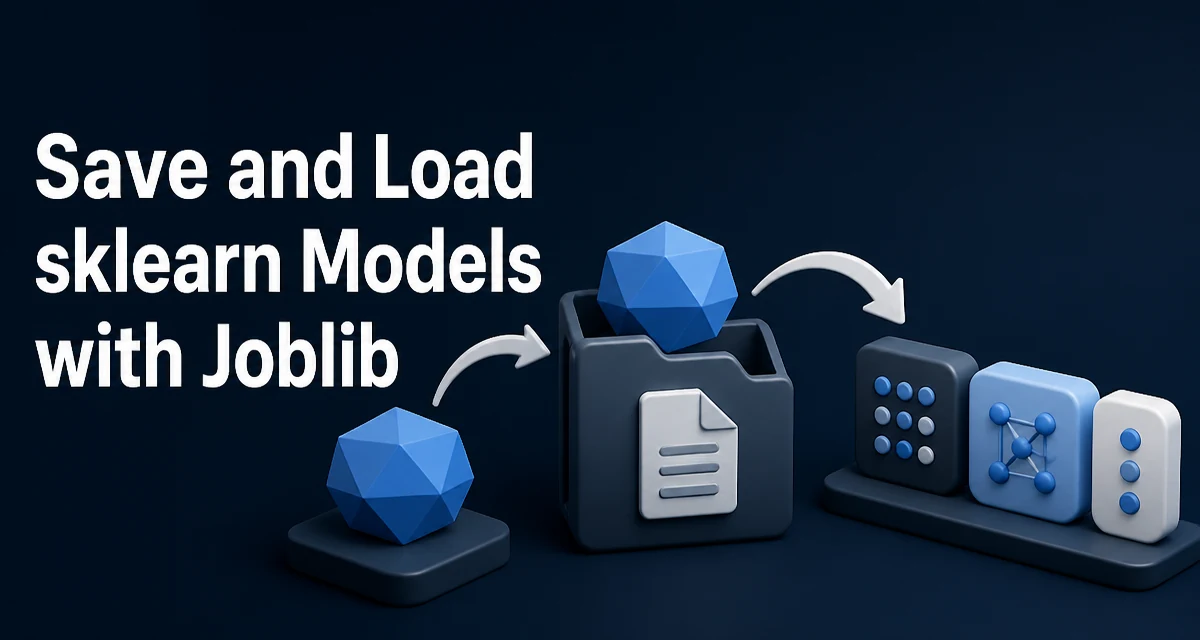
python sklearn save and load models with joblib requires a clear understanding of the core syntax, runtime behavior, and practical implementation patterns demonstrated in the examples below.
When a trained scikit-learn model needs to survive beyond the process that created it, the standard approach is to serialize it to disk. The usual tool is joblib, which scikit-learn uses internally for model persistence. The pattern is simple: joblib.dump() writes the estimator to a file, and joblib.load() restores it. This article covers how to save and load models with joblib in Python sklearn, why joblib is the recommended choice, and the operational concerns that matter in production.
Why joblib Is the Default Choice for sklearn Models
Python's built-in pickle module can serialize most Python objects, and sklearn estimators are no exception. But joblib offers two practical advantages for this specific use case.
First, joblib handles large NumPy arrays more efficiently than pickle. sklearn models store learned parameters as NumPy arrays, and joblib serializes these arrays using a separate representation that avoids the overhead of pickle's object traversal. For models with many parameters, this reduces both file size and serialization time.
Second, joblib supports compression out of the box. You can pass a compression level or algorithm directly to dump, which is more convenient than manually compressing a pickle file after writing it.
Scikit-learn's documentation recommends joblib for saving and loading models. The joblib package is already a dependency of scikit-learn, so no additional installation is required.
Saving a Model with joblib.dump
The joblib.dump function takes the estimator object and a destination path:
import joblib
from sklearn.ensemble import RandomForestClassifier

model = RandomForestClassifier(n_estimators=100)
model.fit(X_train, y_train)

joblib.dump(model, "random_forest_model.joblib")
The file extension is conventional; joblib does not require a specific extension. The second argument can be a file path string or a file-like object opened in binary write mode.
The function returns the list of files written. When compression is not used, this is typically a single file. When compression is enabled, joblib may split the model into multiple files, with the main file containing the object graph and separate files for large arrays.
Loading a Model with joblib.load
Loading restores the estimator exactly as it was saved:
import joblib

loaded_model = joblib.load("random_forest_model.joblib")
predictions = loaded_model.predict(X_test)
The loaded object is the same estimator type with the same fitted parameters. You can call predict, predict_proba, transform, or any other method the estimator supports.
One important detail: joblib does not re-validate the model against the training data. It restores the object graph from disk. If the model was trained with a specific version of scikit-learn, the loaded model should be used with a compatible version, which is covered later.
Compression Options for Large Models
For models with many parameters—such as large random forests, gradient boosting ensembles, or linear models with high-dimensional features—the serialized file can be large. joblib supports compression via the compress parameter:
joblib.dump(model, "model_compressed.joblib", compress=3)
The compress parameter accepts:
Trueor an integer (0–9): uses zlib compression at the given level"zlib","gzip","bz2","lzma","xz": specific compression algorithms0orFalse: no compression
Higher compression levels reduce file size but increase save and load time. For most models, level 3 offers a reasonable balance. For very large models, the time spent compressing and decompressing may outweigh the disk savings, so test with your actual model size.
When compression is used, joblib writes the model as a single compressed file. Loading is the same regardless of compression:
loaded_model = joblib.load("model_compressed.joblib")
Version Compatibility and Model Persistence
The most common production issue with saved sklearn models is version mismatch. A model saved with one version of scikit-learn may fail to load with a different version, or worse, load silently but produce different predictions.
The general rule: save and load with the same major version of scikit-learn, and ideally the same minor version. Scikit-learn does not guarantee backward compatibility of serialized models across versions. The __sklearn_version__ attribute is stored on fitted estimators, so you can check it:
model.__sklearn_version__
If you need to serve a model in production, pin the scikit-learn version in your deployment environment. This is more reliable than assuming the model will load across arbitrary versions.
Python version compatibility also matters. Joblib serialization is tied to the Python object model, and loading a model saved with a different Python version can fail, particularly for objects that reference modules or classes that have changed.
Security Considerations for Loading Models
Loading a joblib file executes arbitrary code. The serialized object graph can contain references to functions, classes, and modules that run during deserialization. This is the same risk as pickle: never load a model from an untrusted source.
If the model file comes from a public repository, a shared drive, or any location where it could have been modified, treat it as untrusted. Loading it in a sandboxed environment or validating the file's integrity with a checksum before loading are reasonable precautions.
There is no safe way to partially load a joblib file. The deserialization process is all-or-nothing, and the code execution happens during the load call itself.
Common Pitfalls
Saving the model object instead of the fitted estimator. Some developers save the model class or an unfitted instance. Only the fitted estimator contains the learned parameters. Save the object you called fit() on.
Saving the training pipeline incorrectly. If you use a Pipeline, save the entire pipeline object, not just the final estimator. The pipeline includes preprocessing steps that must be applied consistently during prediction.
Using the wrong file path. joblib writes to the given path. If the directory does not exist, it raises an error. Ensure the target directory exists before calling dump.
Loading with a different environment. If the model references custom classes—such as a custom transformer in a pipeline—those classes must be importable in the loading environment. The class must be defined in a module that is importable, or the load will fail with an AttributeError.
When to Use pickle Instead
For simple cases, pickle works. The syntax is nearly identical:
import pickle

with open("model.pkl", "wb") as f:
    pickle.dump(model, f)

with open("model.pkl", "rb") as f:
    model = pickle.load(f)
Pickle is part of the standard library, so it is available in any Python environment. For small models, the difference is negligible. But for models with large NumPy arrays, joblib's array handling is more efficient, and joblib's compression support is more convenient than manually compressing a pickle file.
The decision rule: use joblib when the model contains large NumPy arrays (which is typical for sklearn models) or when compression matters. Use pickle when you need standard-library-only serialization and the model is small.
Memory-Mapped Loading for Very Large Models
For models too large to fit in memory comfortably, joblib supports memory-mapped loading:
loaded_model = joblib.load("large_model.joblib", mmap_mode="r")
The mmap_mode parameter loads the large arrays as memory-mapped files rather than copying them into RAM. This can reduce memory usage when multiple processes load the same model, because the mapped arrays are shared.
The tradeoff: the file must remain accessible while the model is in use, and writes to the mapped arrays are restricted when opened in read-only mode. This is most useful in multi-process serving scenarios where each worker needs the same model.